• 標誌
    PaperBananaAI 學術插圖生成器
首頁
  • 首頁
  • 工作室
  • 科學插圖
  • 海報製作器
  • 圖示製作器
  • 圖形編輯器
  • 定價
我的創作
  • 我的創作
  • 邀請好友
標誌PaperBanana
首頁定價邀請好友
標誌PaperBanana

PaperBanana - AI 驅動的學術插圖生成器

support@paperbanana.me

AI 工具

  • 全部工具
  • 文生插圖
  • 科學插圖
  • 圖形編輯器
  • 圖示製作器
  • 海報製作器

支持

  • 關於我們
  • 定價
  • 聯繫我們

法律

  • 隱私政策
  • 服務條款
  • 可接受使用政策

© 2026 PaperBanana. 保留所有權利。

定價聯繫我們
面向科研人員的 AI 圖文摘要工具

科研論文圖文摘要製作器

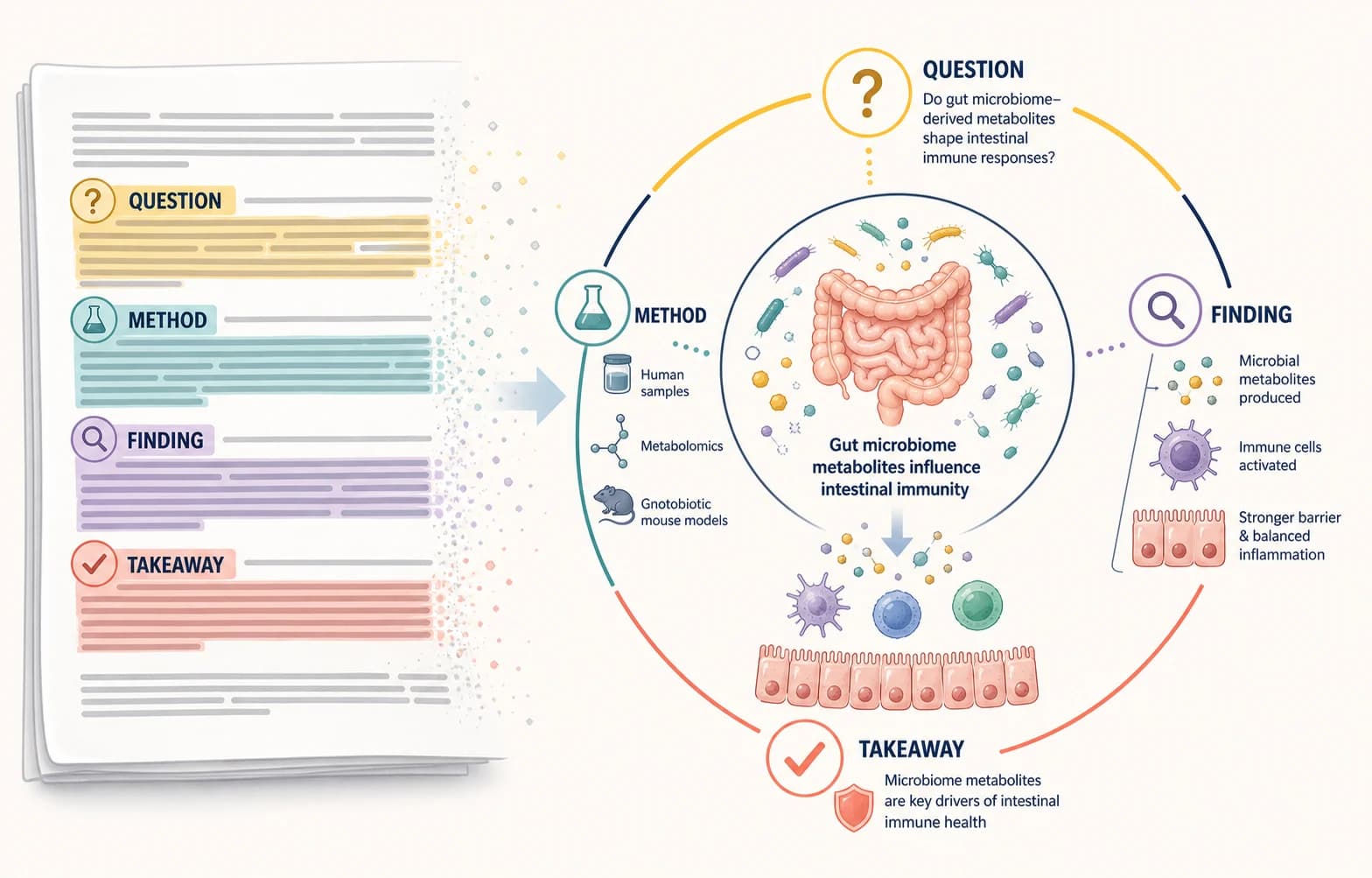
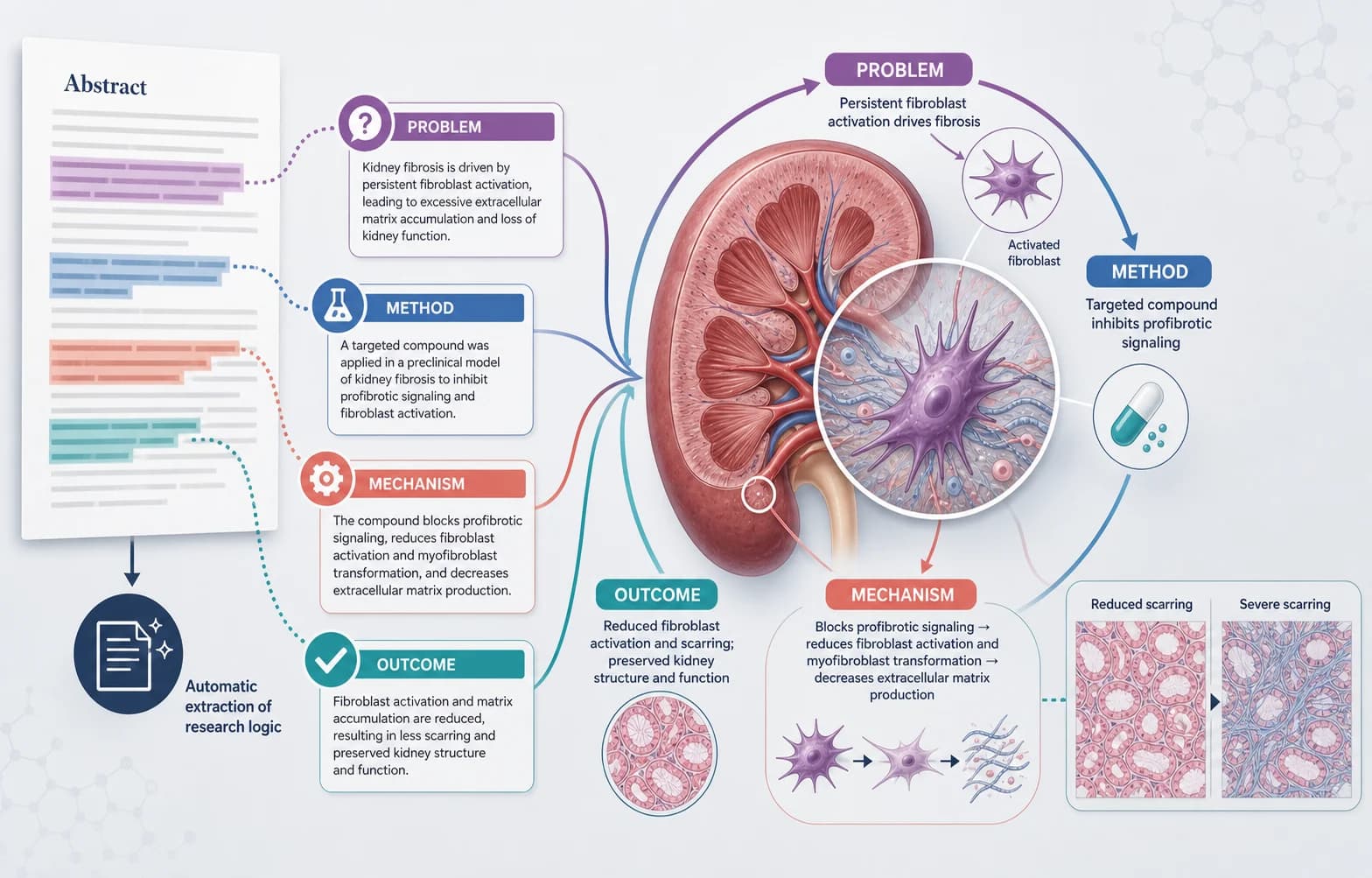
把整篇論文最核心的研究邏輯壓縮成一張圖:研究問題、方法、機制、關鍵結果和主要結論,並用科研插圖與精簡文字共同表達。

圖片 + 精簡研究文字面向整篇論文的視覺總結可繼續修改標籤、箭頭與重點
Select Model
0

Start from an example

Resolution
Graphical abstract patterns

Select an example to reuse its structure and prompt

Graphical abstract basics

What is a graphical abstract?

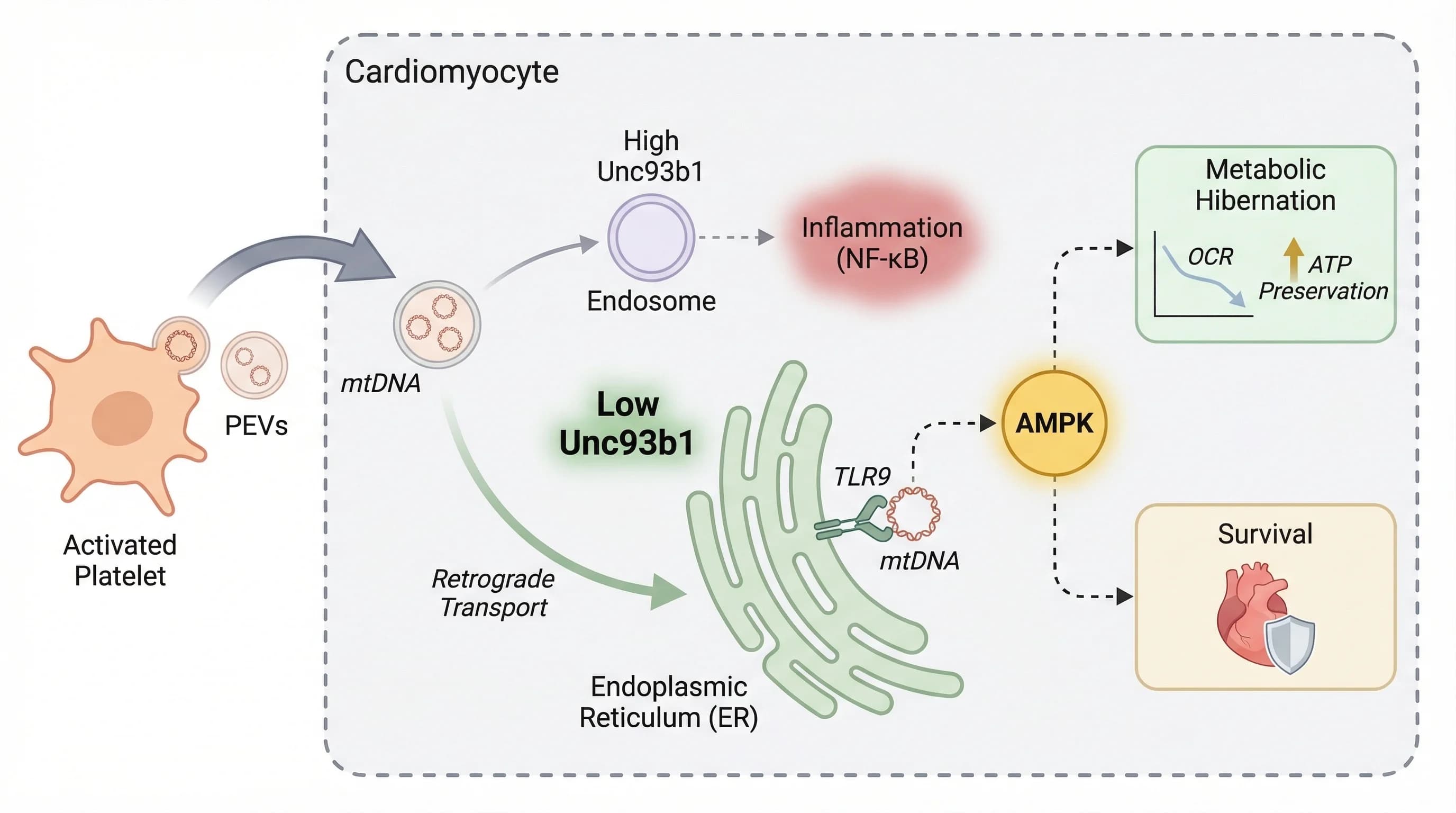
A graphical abstract is a single visual summary of a research paper. It combines scientific illustrations, concise labels, and a clear reading path to show the research question, method or mechanism, key result, and main conclusion at a glance.

It is not simply a decorative image, and it is not a full research poster. A useful graphical abstract compresses the paper-level story into one connected figure, helping readers understand what was studied, what happened, and why the result matters before they read the full text.

An AI graphical abstract maker can turn an abstract or structured study summary into a first visual draft. Researchers should still verify every label, relationship, numerical claim, and journal requirement, then refine the layout before export or submission.

01

Research question

The problem, context, or hypothesis the paper addresses.

02

Method or mechanism

What the researchers did or how the process works.

03

Key result

The central supported finding without invented evidence.

04

Main conclusion

The takeaway that follows directly from the study.

Submission planning

Graphical abstract requirements by publisher and journal

Graphical abstract policies are not universal. Some publishers provide a shared technical specification, while individual journals and article types decide whether the file is required, optional, or not collected separately.

Official guidance checked: August 2026

Publisher or journalCurrent statusVerified technical guidanceOfficial source

Publisher or journal

Cell Press

Current status

Dedicated guide; requirement varies by journal

Verified technical guidance

Single panel; 5.5 in square at 300 dpi; Arial 12–16 pt; TIFF, PDF, or JPG.

Official source

Cell Press graphical abstract guide

Publisher or journal

Elsevier journals

Current status

Journal- and article-type specific

Verified technical guidance

When requested: minimum 1328 × 531 px at 300 dpi; preserve the wide ratio; TIFF, EPS, PDF, or MS Office.

Official source

Elsevier graphical abstract guidance

Publisher or journal

PLOS Biology

Current status

No separate graphical abstract requirement listed

Verified technical guidance

General figure rules: 789–2250 px wide at 300 dpi, maximum 2625 px high, 300–600 dpi, TIFF or EPS.

Official source

PLOS Biology figure requirements

Publisher or journal

Nature Methods

Current status

Not listed as a standard content item

Verified technical guidance

Requirements depend on the article type and post-acceptance instructions; confirm any visual-summary request with the journal.

Official source

Nature Methods content types

Publisher or journal

eLife

Current status

Not listed in the current submission overview

Verified technical guidance

The current workflow centers on Reviewed Preprints; confirm any optional visual-summary asset directly with eLife.

Official source

eLife submission overview

Policies and article-type requirements can change. Treat this table as a planning reference, recheck the live guide for your target journal, and separately confirm its policy on AI-assisted artwork before submission.

Graphical abstract examples for real research stories

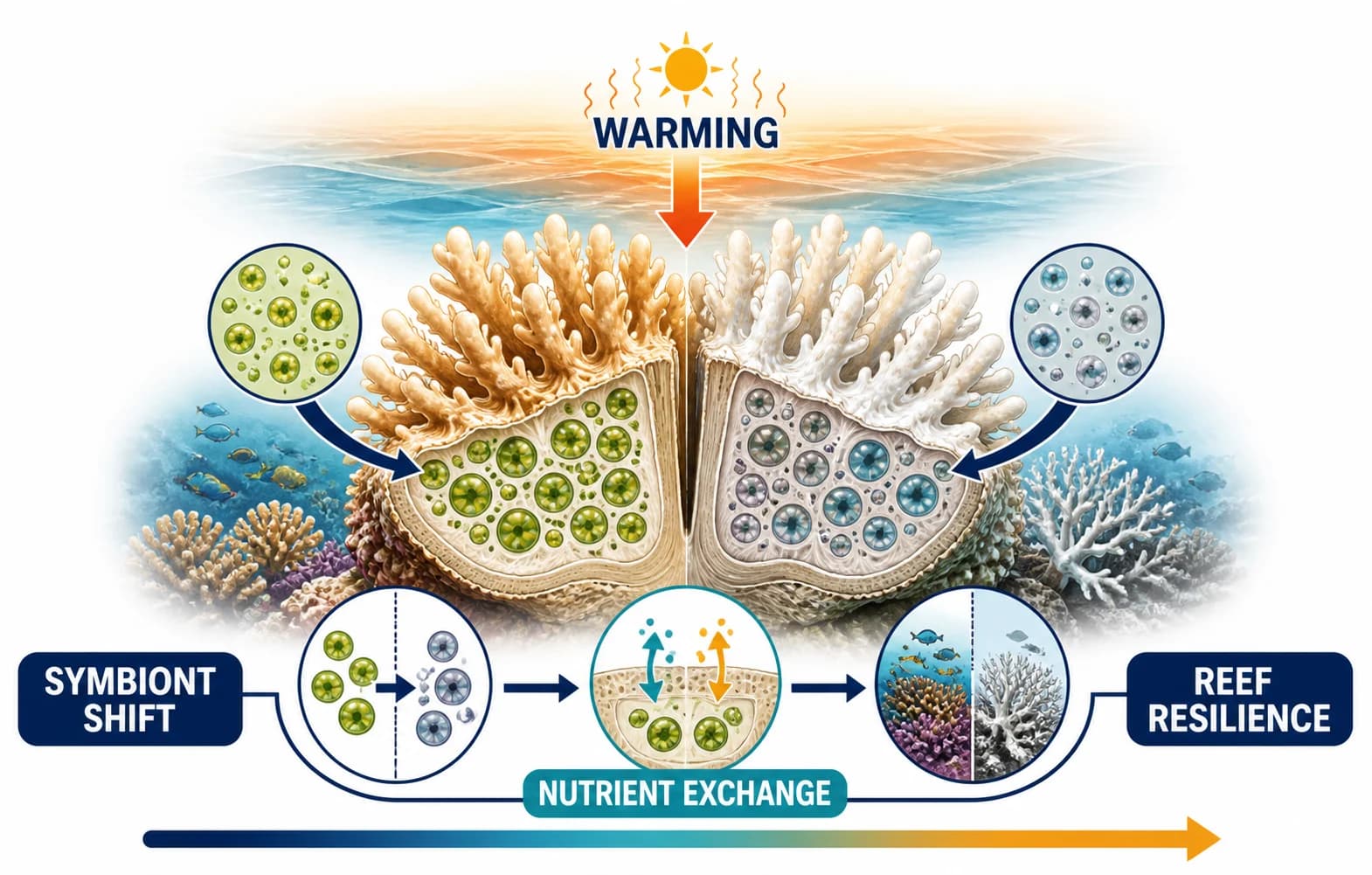
These examples show the intended output: illustrations carry the scientific meaning, while short text anchors the question, process, result, and takeaway.

Built for research communication

Make graphical abstracts for papers, mechanisms, and presentations

Choose a visual structure that matches what readers need to understand: the paper-level story, a mechanism or workflow, or a concise submission-ready summary.

AI graphical abstract showing a research question, method, key finding, and conclusion in a left-to-right story

Turn an abstract into a visual story

Connect the research question, method, key finding, and conclusion in one left-to-right narrative.

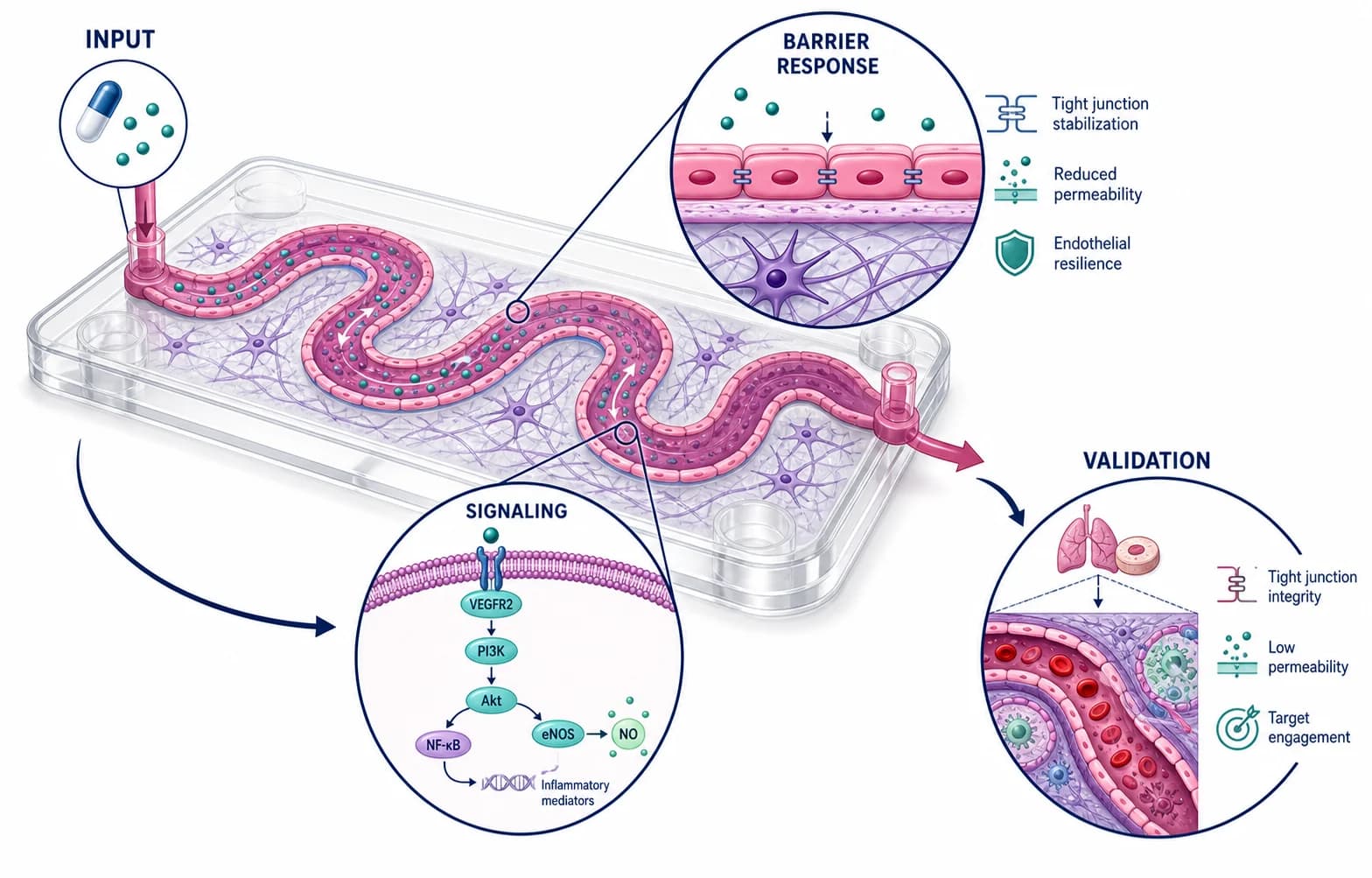
Scientific mechanism workflow connecting treatment, experiment, and causal stages with arrows and labels

Explain mechanisms and workflows

Show how treatments, experiments, systems, or causal steps connect without burying the logic in paragraphs.

Journal-ready graphical abstract summary prepared for a research paper and scientific presentation

Prepare research for fast reading

Create a compact visual for journal pages, presentations, lab communication, and research promotion.

Graphical abstract capabilities

Create an editable graphical abstract, not a one-shot image

The workflow keeps source material, visual direction, reference images, generation settings, and the final review in one focused path.

01

Structure the research before generation

Provide the question, study object, method, mechanism, key result, conclusion, and any exact terminology that must remain unchanged.

Start with your research story
Graphical abstract planning workspace organizing a research question, method, result, and conclusion
02

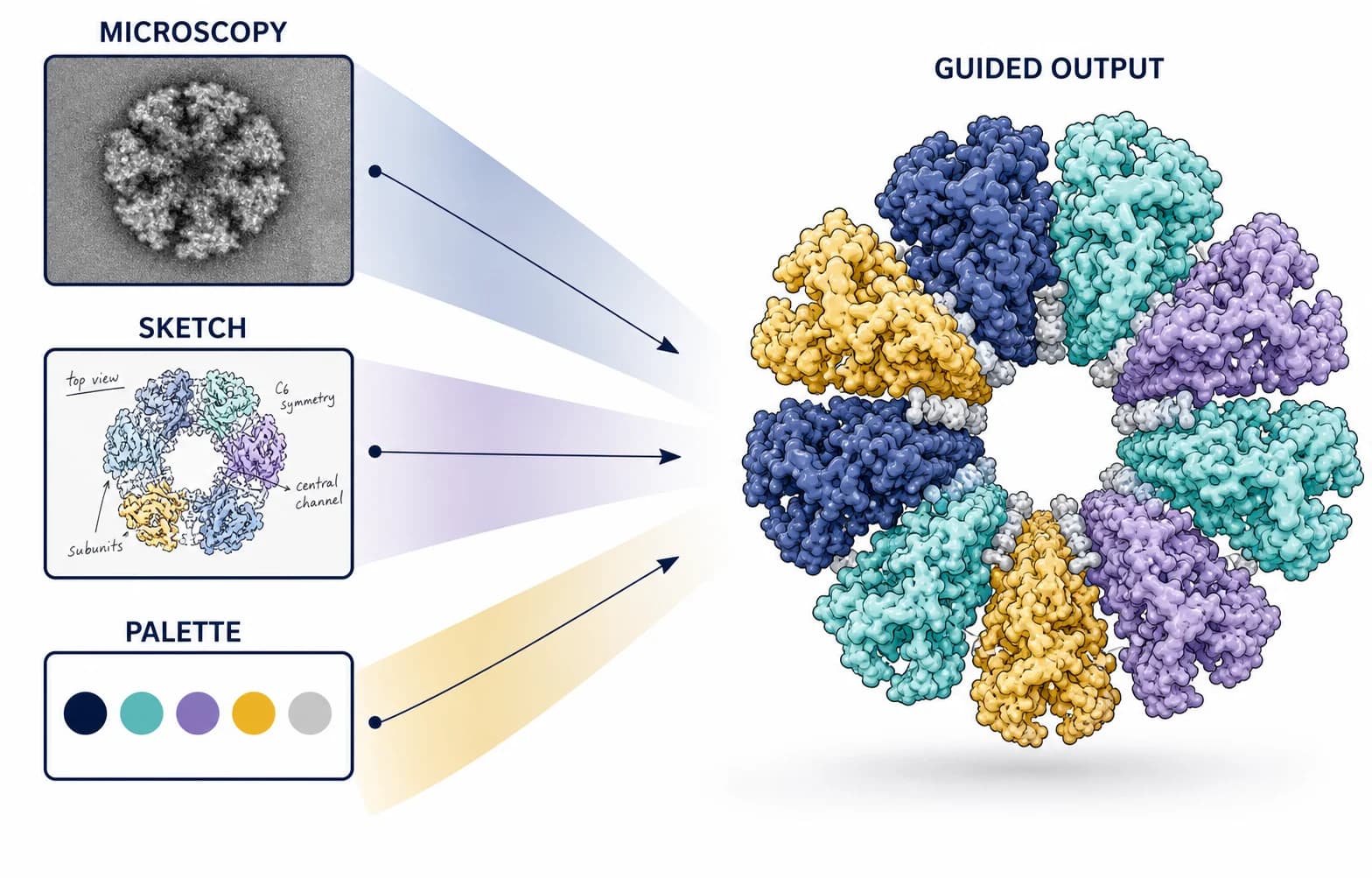
Guide the draft with references and patterns

Start from a proven composition and add figures, sketches, or style references when the visual context matters.

Start with your research story
Reference-guided graphical abstract generation using a research figure and a visual pattern
03

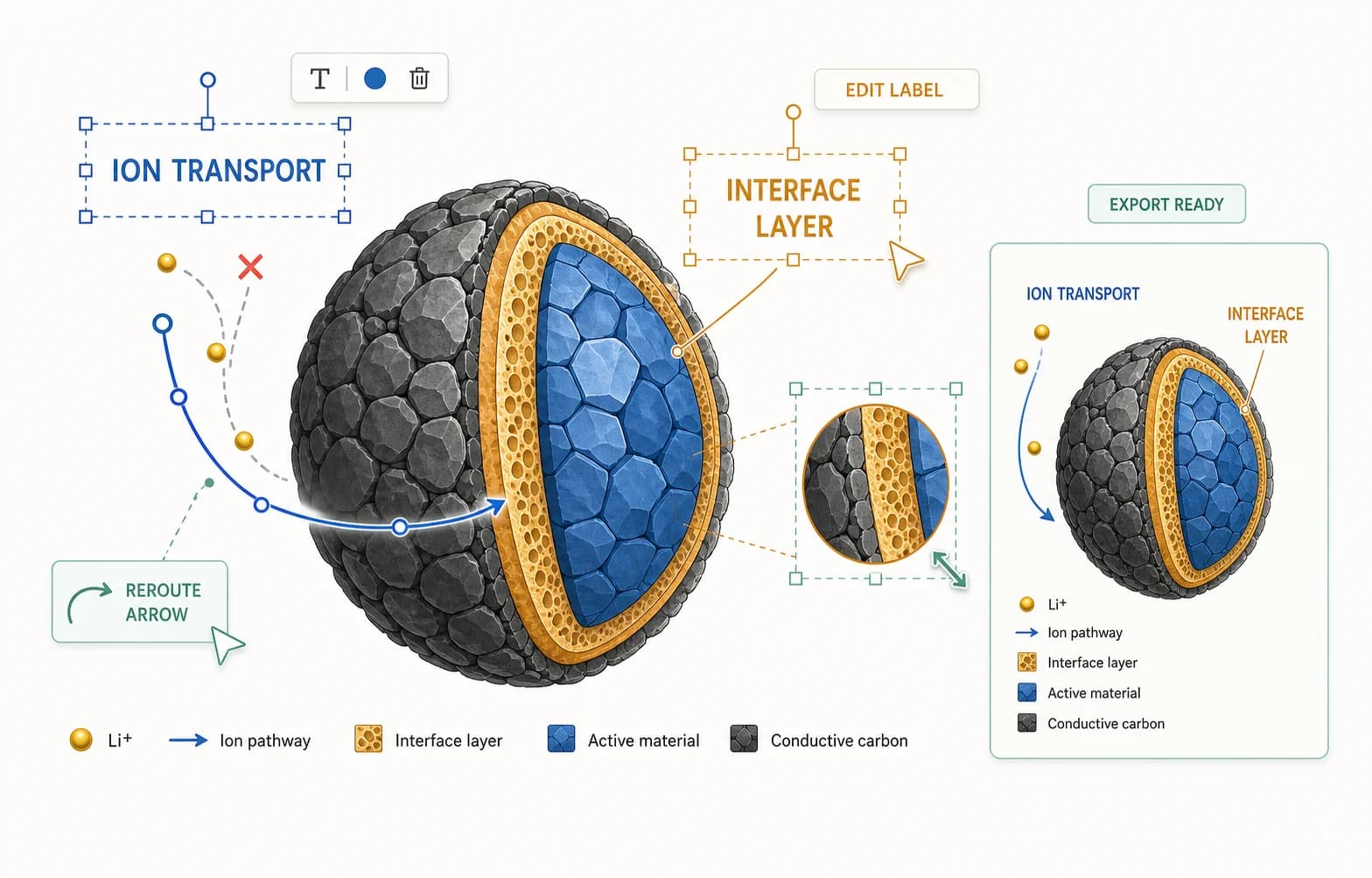
Revise labels, arrows, and local details

Keep the useful composition while requesting focused changes to hierarchy, text, emphasis, colors, or visual elements.

Start with your research story
Editable graphical abstract workflow revising scientific labels, arrows, colors, and local details
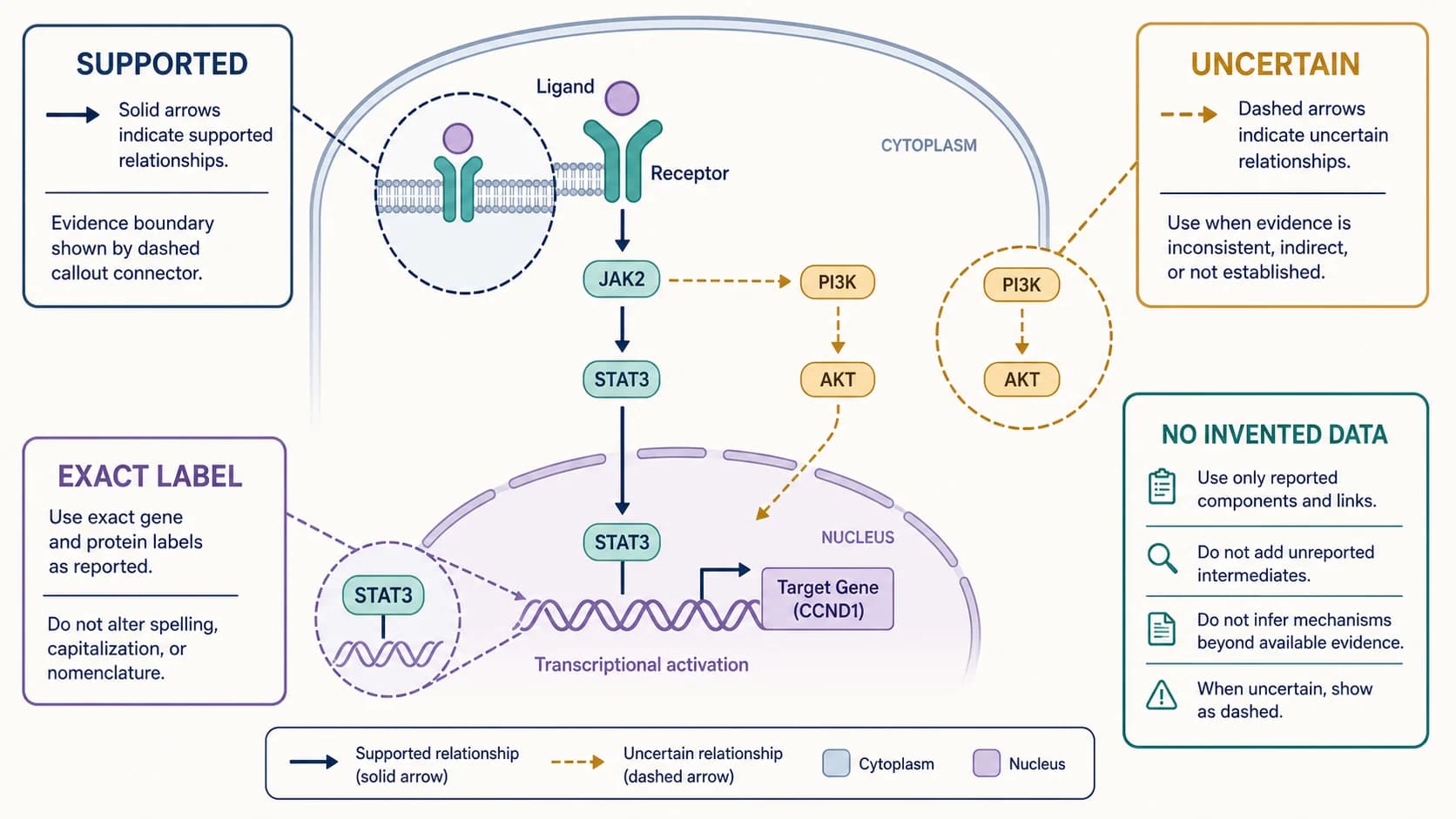
Scientific accuracy

Build a journal-ready graphical abstract from verified research

Generation creates a visual draft, not approved scientific evidence. Review the reading order, terminology, claims, quantities, and journal requirements before export.

Use the manuscript as the source of truth

Check that every panel and arrow follows the actual study design, mechanism, and evidence hierarchy.

Remove invented claims and unsupported detail

Verify molecule names, anatomy, groups, units, effect direction, numbers, and causal relationships.

Review journal and disclosure requirements

Confirm dimensions, text size, file format, resolution, color mode, and current generative-artwork policy.

Gene regulation graphical abstract distinguishing supported evidence, uncertain relationships, exact labels, and unsupported claims
A useful draft becomes publication-ready only after every label and relationship is defensible against the paper.Human verified

Why researchers use it

Why researchers use an AI graphical abstract maker

Create the first visual direction quickly, then keep control over the scientific story, terminology, revision path, and final submission checks.

Faster First Draft

Start with a concrete composition

Turn a dense abstract into a visible first draft before spending time arranging every panel manually.

Clear Reading Order

Give readers one clear path

Use a mechanism, process, comparison, or outcome narrative that can be understood at a glance.

Exact Terminology

Preserve research-specific language

Supply exact short labels and review the wording against the terminology already used in the paper.

Coherent Visuals

Keep a consistent visual language

Guide colors, imagery, panel treatment, and hierarchy with references instead of rebuilding the style each time.

Editable Workflow

Make focused revisions

Correct the weak parts of a useful draft instead of restarting the entire composition for every change.

Submission Aware

Prepare for journal review

Build verification, disclosure, legibility, and export checks into the workflow before submission.

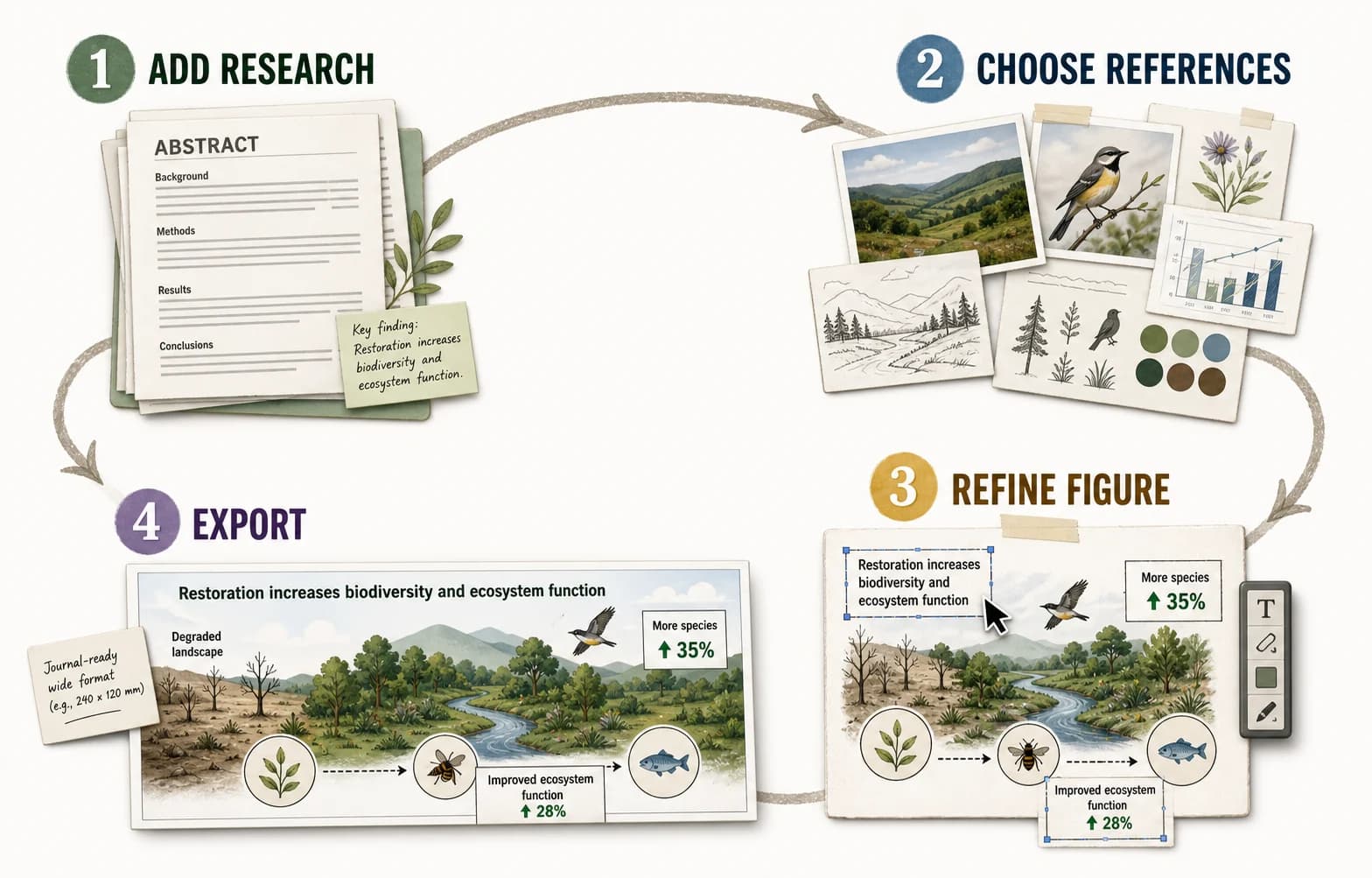
Three-step workflow

How to make a graphical abstract from a research paper

Turn the source paper into a visual brief, choose the right composition and references, then review the generated draft before export.

01

Paste the research story

Provide the problem, method, mechanism, key finding, conclusion, and exact labels that must appear.

02

Choose a pattern, references, and model

Select a visual structure, upload useful reference images, and choose the aspect ratio and output detail.

03

Generate, review, and export

Check every label and relationship, revise focused details, and confirm the target journal’s requirements.

Create your graphical abstract
Four-step graphical abstract workflow from adding research and references to refining and exporting the final figure
The strongest workflow separates visual drafting from scientific approval.

PaperBanana 定價

比較 PaperBanana 各套餐:AI 科研插圖、圖片編輯、SVG 圖示工作區、海報生成、無浮水印匯出和高級模型。

基礎版

$19$9.5/月
$114/年🔥 節省 50%
每張圖成本
≈ $0.18/張
  • 5,040 額度/年
  • =630 張學術插圖
  • 商業許可(僅限年付)
  • 優先生成,無需免費用戶等待
  • 無浮水印下載
  • 支援 GPT Image 2、Nano Banana、Nano Banana Pro 和 Nano Banana 2
  • Scientific Illustration:生成 SVG 學術插圖
  • Scientific Diagram Maker:從學術插圖模板生成可編輯 SVG 圖示
  • Poster Maker:根據論文/PDF 製作學術海報
最受歡迎

進階版

$39$19.5/月
$234/年🔥 節省 50%
每張圖成本
≈ $0.14/張
  • 12,960 額度/年
  • =1,620 張學術插圖
  • 商業許可
  • 優先生成,無需免費用戶等待
  • 無浮水印下載
  • 支援 GPT Image 2、Nano Banana、Nano Banana Pro 和 Nano Banana 2
  • Scientific Illustration:生成可編輯 SVG 學術插圖
  • Studio:對既有圖片選區進行局部編輯
  • Poster Maker:根據論文/PDF 製作學術海報
  • Diagram Maker:從學術插圖模板生成可編輯 SVG 圖示

企業版

$69$34.5/月
$414/年🔥 節省 50%
每張圖成本
≈ $0.12/張
  • 28,800 額度/年
  • =3,600 張學術插圖
  • 商業許可
  • 優先生成,無需免費用戶等待
  • 無浮水印下載
  • 支援 GPT Image 2、Nano Banana、Nano Banana Pro 和 Nano Banana 2
  • Scientific Illustration:生成團隊可用的 SVG 學術插圖
  • Studio:對既有科研圖片選區進行局部編輯
  • Poster Maker:根據論文/PDF 製作學術海報
  • Diagram Maker:從學術插圖模板生成可編輯 SVG 圖示
  • 專屬支持(2小時響應)(僅限年付)

隨時取消 · 訂閱額度有效期為 30 天

MastercardVisaDiscoverAmerican ExpressStripePayPal
安全結帳 · 256 位元 SSL 加密

Continue the research workflow

More tools for scientific figures and research posters

Move to a focused illustration, a larger presentation format, an editable diagram, or a figure-refinement workspace when the graphical abstract is not the final deliverable.

Biomedical mechanism created in the scientific illustration workspace

Scientific Illustration

Explain one structure, mechanism, pathway, or device with more visual detail than a paper-level summary allows.

Conference poster displayed in the scientific poster maker workspace

Scientific Poster Maker

Turn a full paper into a larger conference format with methods, results, figures, and author information.

Editable scientific workflow diagram with structured labels and connectors

Scientific Diagram Maker

Build an editable workflow, study design, architecture, or process diagram when exact connectors and labels matter.

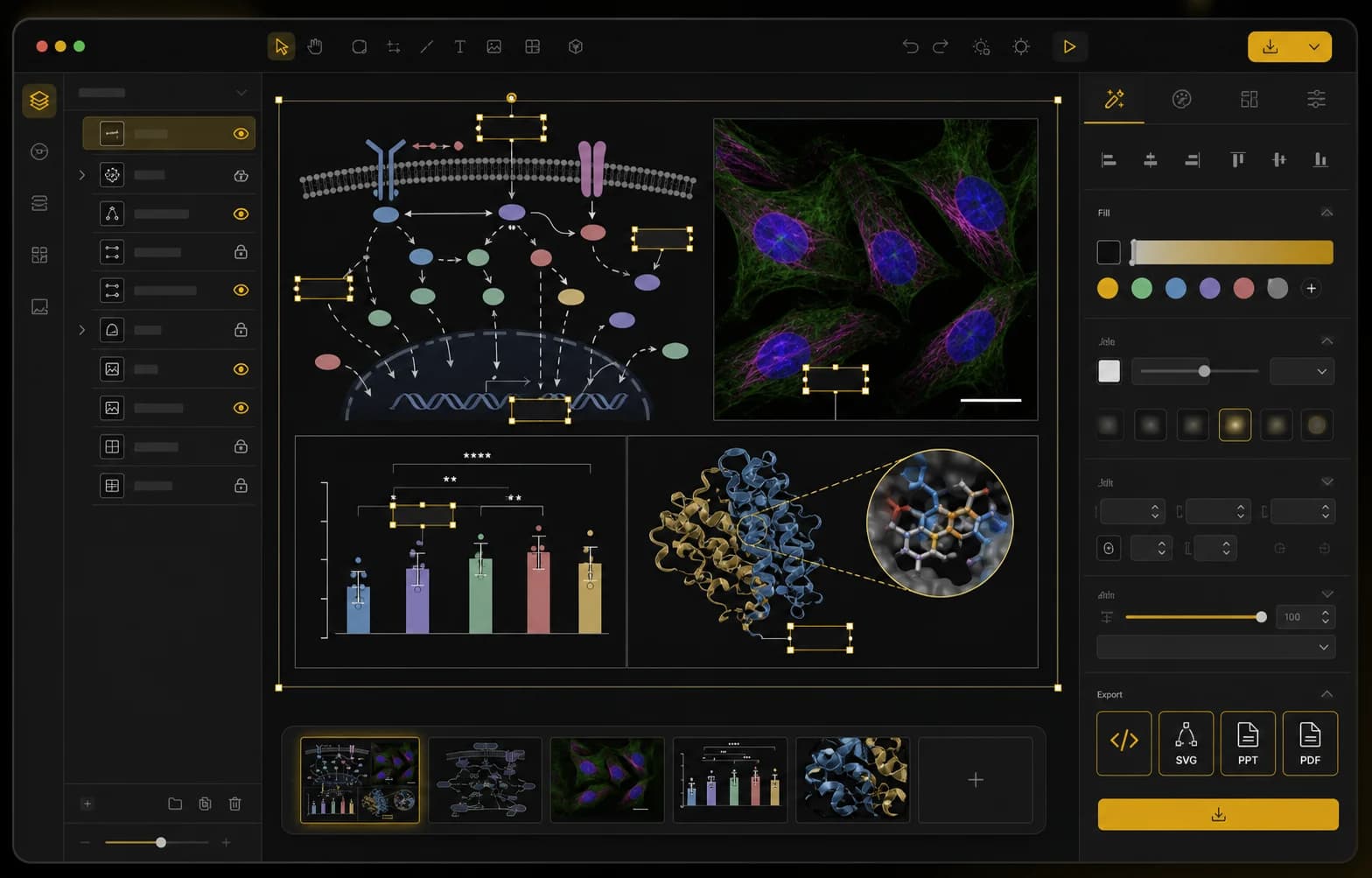
Scientific figure editor workspace with editable research figure panels and annotations

Scientific Figure Editor

Refine an existing scientific figure, adjust labels and annotations, and prepare a clean publication-ready revision.

Graphical abstract FAQ

Graphical Abstract Maker questions from researchers

What is a graphical abstract for a research paper?+

A graphical abstract is a single visual summary of a research paper. It combines scientific illustrations, concise labels, arrows, and a clear reading order to communicate the study question, method or mechanism, key result, and main conclusion without reproducing every section of the manuscript.

How do I make a graphical abstract from a research paper?+

Start by extracting the research question, method, mechanism, key finding, and conclusion. Arrange those elements in one logical reading path, generate or add the supporting scientific visuals, then verify every label, arrow, quantity, and relationship against the paper before export.

What should I paste into an AI graphical abstract maker?+

Paste a structured summary containing the research question, study object or population, method, mechanism, key result, and conclusion. Include exact terminology, required numbers, and the intended reading order. Remove background details that do not clearly support the central visual story.

Can AI generate a graphical abstract from a research paper?+

Yes. AI can turn a structured paper summary into a visual first draft with illustrations, short labels, and a reading order for further review. The author must still verify every scientific term, arrow, quantity, relationship, and conclusion against the manuscript before submission.

Can I edit text, arrows, and visual details after generation?+

Yes. PaperBanana’s edit workflow supports focused revisions to labels, arrows, colors, icons, emphasis, and local image details while preserving a useful overall composition. Review the complete figure after each change because a generative edit can also affect nearby text or visual relationships.

What size and resolution should a graphical abstract be?+

There is no universal size. Many graphical abstracts use a landscape layout, but exact dimensions, file format, resolution, color mode, and minimum text size depend on the publisher, journal, and article type. Always check the current author guidelines before export.

Will journals accept an AI-generated graphical abstract?+

Journal policies differ and can change. Some publishers restrict generative artwork, require disclosure, or assess AI-assisted figures case by case. Check the target journal’s current author guidelines and artwork policy before preparing the final submission file; technical quality alone does not guarantee acceptance.

Should I use a graphical abstract template or an AI maker?+

Use a template when your content already fits a known layout and you want complete manual control. Use an AI graphical abstract maker when you need help turning dense research into a first visual structure, then edit and verify the generated draft.

讓讀者一眼看懂論文

用圖片和精簡研究文字製作圖文摘要

從論文的核心故事開始,生成寬幅視覺初稿,並在匯出或投稿前逐項核對科學細節。

開始製作