• Logo
    PaperBananaAI Academic Illustration Generator
Home
  • Home
  • Studio
  • Scientific Illustration Generator
  • Poster Maker
  • Diagram Maker
  • Figure Editor
  • Pricing
My Creations
  • My Creations
  • Invite Friends
LogoPaperBanana
HomePromptsBlogPricingInvite Friends
  1. Home
  2. Tools
  3. Scientific Color Palette Generator
PaperBanana

PaperBanana - AI-powered academic illustration generator

support@paperbanana.me
All Tools

Tool directory

AI Figure Tools

  • Scientific Illustration
  • Graphical Abstract Maker
  • Scientific Poster Maker
  • Scientific Diagram Maker
  • Scientific Figure Editor
  • Prompts

Research Diagrams

  • Conceptual Framework Generator
  • Neural Network Diagram Generator
  • PRISMA Flow Diagram Generator
  • CONSORT Flow Diagram Generator

Graphic Organizers

  • Graphic Organizer Maker
  • Frayer Model Maker
  • KWL Chart Maker
  • Cause and Effect Graphic Organizer
  • Compare and Contrast Graphic Organizer
  • Spider Diagram Maker
  • Plot Diagram Maker
  • Syntactic Tree Generator
  • Sentence Diagram Generator
  • Punnett Square Maker
  • Venn Diagram Maker

Math & Physics

  • Factor Tree Generator
  • Number Line Generator
  • Force Diagram Maker
  • Bohr Model Maker

Data Visualization

  • Histogram Maker
  • Waterfall Chart Generator
  • Scientific Color Palette Generator
  • Sankey Diagram Generator
  • Scatter Plot Maker
  • Dot Plot Maker
  • Forest Plot Maker
  • Funnel Plot Maker
  • Kaplan-Meier Curve Maker
  • Box Plot Maker
  • Heatmap Generator
  • Volcano Plot Generator
  • Phylogenetic Tree Generator

Image & Submission

  • Journal Figure Checker
  • Image Format Converter

© 2026 PaperBanana. All Rights Reserved.

Support

  • About
  • Blog
  • Pricing
  • Contact

Legal

  • Privacy Policy
  • Terms of Service
  • Acceptable Use
Online scientific color picker

Scientific Color Palette Generator for Research Figures

Use the Scientific Color Palette Generator to keep experiment colors consistent across figures. Lock custom HEX colors, compare color vision simulations, and export a reusable palette for Python or R. No sign-up needed.

No sign-up requiredCustom HEX colors & group locksHEX, Python, R, SVG & PNG

A palette with a purpose

Customize your scientific color palette

Choose colors for the kind of data you need to show.

Data type
Name your groups

Give each experimental group a name and keep its color consistent across figures.

Enter a six-digit HEX color or use the picker to lock that group’s color. Locked colors stay fixed when you switch categorical presets or reverse the palette. Unlock a group to let the next preset change replace it.

No sign-up • no uploads • local editing

Export palette colors to Python, R or HEX

Palette ready. All editing happens in your browser.

Preview your chart color palette

Okabe–Ito / 4
Okabe–Ito: Bar chart, Original colors

Vision simulations are approximations. Exports always use the original palette.

Your colors

Select a swatch to copy its HEX code.

Lowest contrast against background3.06:1

This measures colors against the background, not against each other. A ratio below 3:1 can make thin marks hard to see; add outlines, labels or a different background.

Export format · Python / R

Python and R use the selected chart type and the same example values. Replace the sample data with your own.

Which groups look most alike?

Which groups look most alike?

The closest pair of category colors in each viewing condition, calculated from your current colors. These swatches show the simulated view.

  • Original colors

    Treatment A ↔ Treatment C

    ΔE OK: 16.42
  • Protanopia · red

    Control ↔ Treatment C

    ΔE OK: 9.49
  • Deuteranopia · green

    Treatment B ↔ Treatment C

    ΔE OK: 7.55
  • Tritanopia · blue

    Control ↔ Treatment B

    ΔE OK: 8.37
  • Grayscale

    Treatment B ↔ Treatment C

    ΔE OK: 2.65

ΔE OK here is Euclidean Oklab distance × 100 after the selected simulation. Lower means closer in this model. It is a comparative aid, not CIEDE2000, a visibility threshold or an accessibility pass/fail score.

Review the named pair, change a group’s HEX color, or choose a line chart to add distinct marker and line-style combinations.

Restore a saved palette

Save your palette with the JSON export, then paste that JSON here in a later session. Group names, exact colors, locks, chart type and background are restored locally. Restoring replaces the current settings.

Palette & simulation methods

Okabe–Ito and Paul Tol colors for categories; sampled Viridis/Plasma for ordered values; sampled ColorBrewer RdBu/BrBG for a neutral center. Editing group colors creates a customized palette. Color vision previews use the Machado 2009 model at full severity in linear sRGB. The closest-pair review uses Oklab distance after simulation, scaled by 100. Always review the final figure at its intended size.

Okabe–ItoPaul TolMatplotlibColorBrewerOklabMachado et al. (2009)

Need a scientific illustration for your paper?

Turn your research methods, mechanisms, and workflows into clear figures with paper banana.

Color carries meaning

Choose color schemes for scientific figures by data type

A scientific color palette is more than a set of attractive swatches. It helps readers tell experimental groups apart, follow an ordered scale, or spot departures from a meaningful reference value.

Start with an established palette, enter your lab's existing colors as HEX values, and lock the groups that must stay consistent. Then compare the closest category pairs across five viewing conditions and export a named mapping or a JSON file you can restore for your next figure.

01

Categorical

Different hues for unordered groups, treatments or species. Color should identify a group without implying a rank.

02

Sequential

An ordered progression for values such as intensity or abundance. Use Viridis or Plasma when values run from low to high.

03

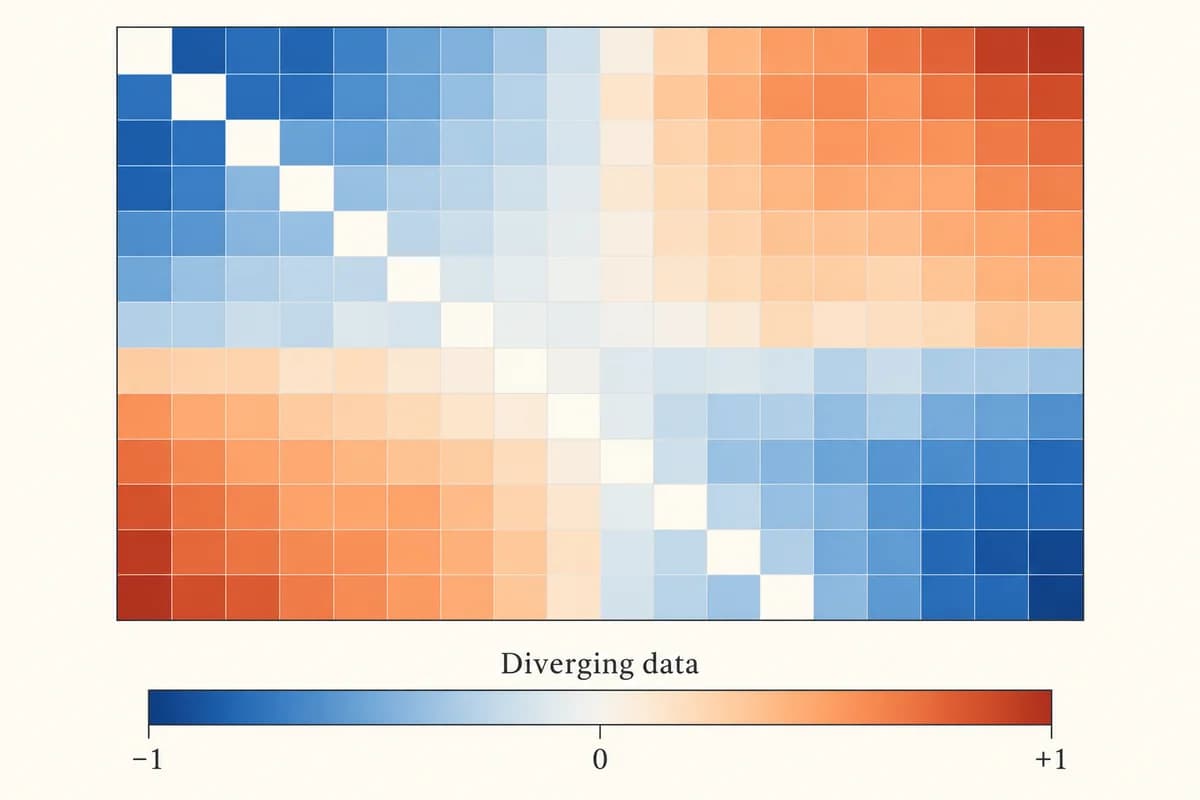
Diverging

Two sides around a meaningful midpoint. Use a neutral center for effects below and above zero or another stated reference.
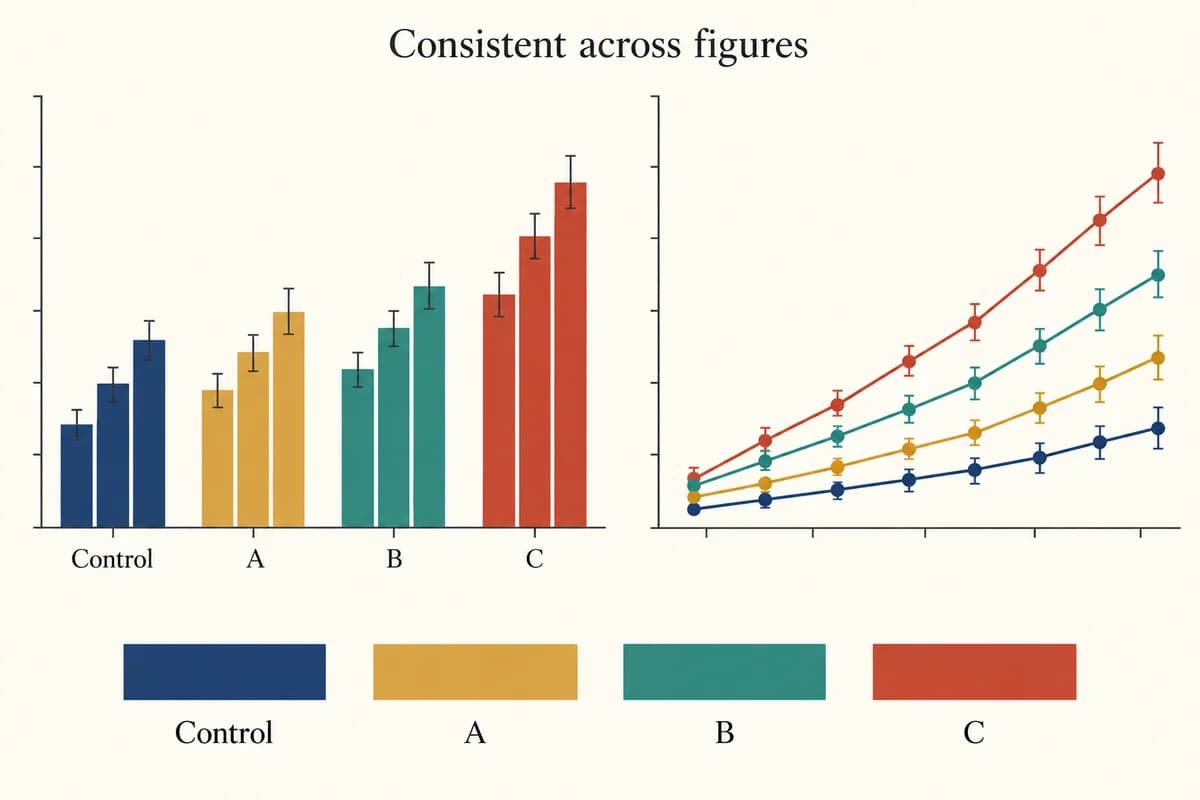
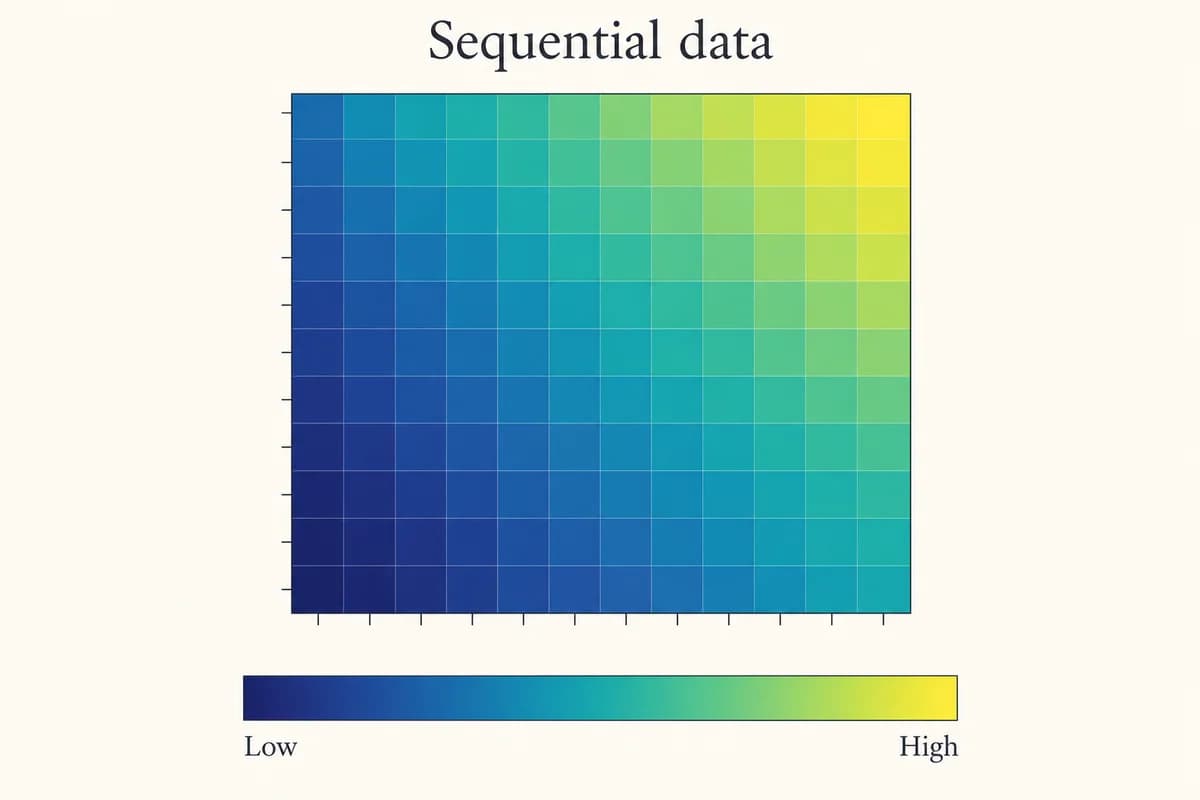
Explore a four-color palette and more chart examples

Start with four experimental groups, then explore sequential heatmaps and centered scales. Each example shows a common use. Load a preset to inspect its exact colors in the interactive chart above.

Built for research workflows

Reuse color schemes for presentations and research figures

Keep experiment colors consistent as you move from manuscript figures to presentation slides. Match group colors, ordered scales and centered effects to the question your audience needs to understand.

Consistent categorical colors across research charts

Keep treatment colors consistent across experiment panels

Experimental researchers can assign one color to each cohort or treatment in bar charts and line plots. Export the named mapping and reuse it across manuscript panels, presentation slides and academic posters.

Sequential palette for an ordered scientific heatmap

Show abundance and intensity with sequential heatmap colors

Data analysts can preview Viridis or Plasma on a sample heatmap before plotting abundance, intensity or ordered scores. Copy the HEX values or export a discrete colormap for Python or R, then replace the illustrative data with real measurements.

Diverging palette with a neutral reference value

Show signed effects around a neutral reference color

Graduate students and researchers comparing negative and positive effects can choose a diverging red–blue or brown–green scale. The illustrative heatmap keeps a neutral midpoint at zero; adapt the reference to the meaning and range of your study values.

Useful beyond the swatch

Keep experimental group colors consistent across figures

Preview, inspect and export without switching tools.

Keep Control colors fixed while exploring other groups

Already use a specific blue for Control? Enter its six-digit HEX value or use the color picker. The group locks automatically, so that exact color stays fixed while you switch categorical presets or reverse the palette. Unlock other groups to explore alternatives. Custom colors carry through to the chart, Python dictionary, R named vector and image exports.

Start Scientific Color Palette Generator Now
Group labels paired with consistent scientific colors

Find similar group colors before exporting your chart

See which named groups are closest in original, protanopia, deuteranopia, tritanopia and grayscale views. Each result includes simulated swatches and a comparative Oklab distance. Preview that view, edit a group's color, or choose a line chart for distinct marker and line-style combinations. The result supports your review; it is not an accessibility certification.

Start Scientific Color Palette Generator Now
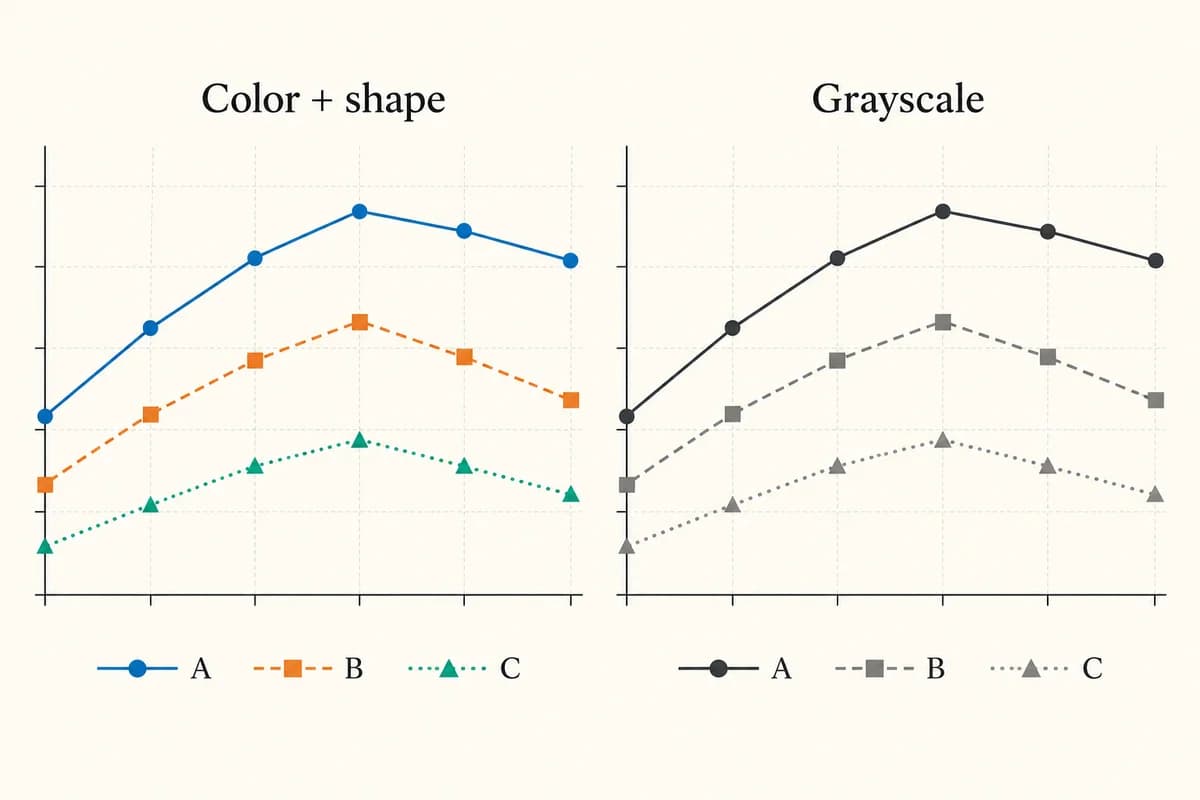
Color and grayscale line charts with redundant markers and line styles

Restore your lab palette for the next paper or poster

Download the JSON palette and paste it into Restore a saved palette in a later session. Recover group names, exact custom colors, locks, chart type, color count and background together. Restoration validates the settings before replacing your current work, runs locally, and also accepts the earlier version of this tool’s JSON export.

Start Scientific Color Palette Generator Now
Named color swatches reused consistently in bar and line figures
Thoughtful color choices

Review color vision and grayscale readability

No palette can guarantee an accessible or publication-ready figure on its own.

Start with documented color systems

Use Okabe–Ito or Paul Tol bright for categories, Viridis or Plasma for ordered data, and ColorBrewer diverging scales for a centered range.

Treat simulations as a review aid

The Machado model approximates color vision differences. It cannot represent every viewer, monitor, print process or viewing condition.

Review the finished figure

Check marker size, line width, labels, background and grayscale reproduction. A contrast number alone does not measure how distinguishable two data series are.

Line styles and shapes preserve meaning in color and grayscale
Color + shape + labelsReview at final size

Less manual rework

Copy exact color codes into Excel and plotting tools

Copy HEX or RGB values into Excel chart color controls, or reuse the named colors in Python and R. Excel colors are applied manually; this tool does not export a workbook.

Consistent

One mapping across panels

Reuse named group colors rather than choosing them again for every plot.

Meaningful

The right scale for the data

Separate unordered categories from ordered values and centered effects.

Precise

Copy exact color values

Get HEX codes and RGB values for figure editors and plotting libraries.

Reproducible

Code you can adapt

Start from runnable Matplotlib or base R examples that match the chart type.

Portable

Portable visual previews

Download the example chart as vector SVG or a 2× resolution PNG.

Private

Immediate local editing

Change presets and labels in your browser, with no account or data upload.

A short path to better colors

How to make a scientific color palette online

Start with your data type, then check the figure context.

01

Choose a data type and customize group colors

Select categories, low-to-high values, or values around a center. Choose a preset and color count. For categories, enter unique group names, paste existing lab HEX colors, and lock the colors that should stay fixed.

02

Preview charts and compare color vision views

Compare the closest category pairs in five viewing conditions. Inspect the chart, edit colors, and use markers or line styles when color alone is insufficient.

03

Export palette code and save reusable settings

Export HEX, CSS, JSON, Python or R code, or download a sample SVG or PNG. Keep the JSON export to restore the named palette and its locks next time.

Try Scientific Color Palette Generator Now
Choose a data type and group colors in the Scientific Color Palette Generator on PaperBanana
Choose → preview → export

Continue your figure workflow

Turn your palette into a finished research figure

Explore other tools for data visualization and manuscript preparation.

View All Tools
Scientific heatmap generator example

Heatmap Generator

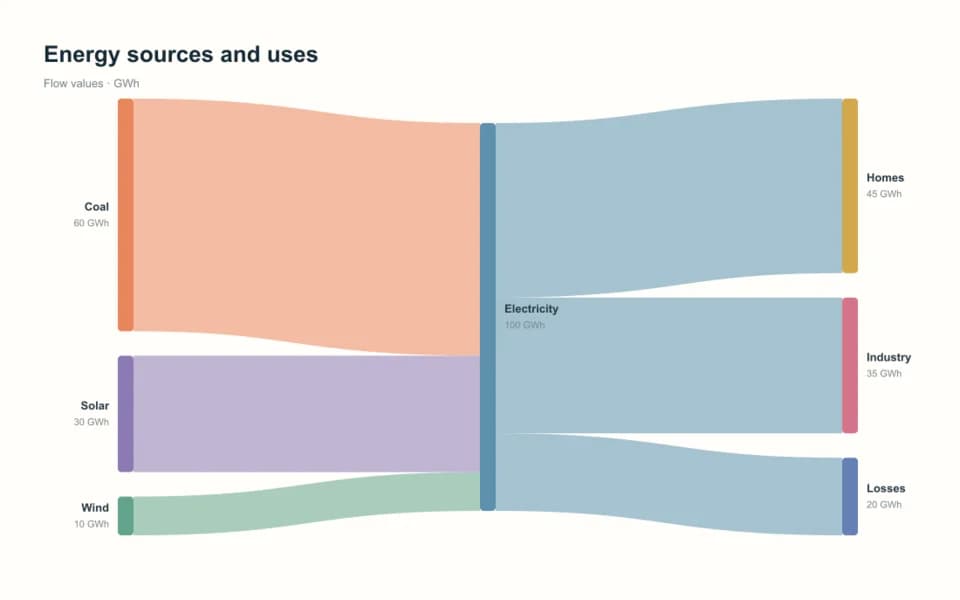
Sankey diagram example

Sankey Diagram Generator

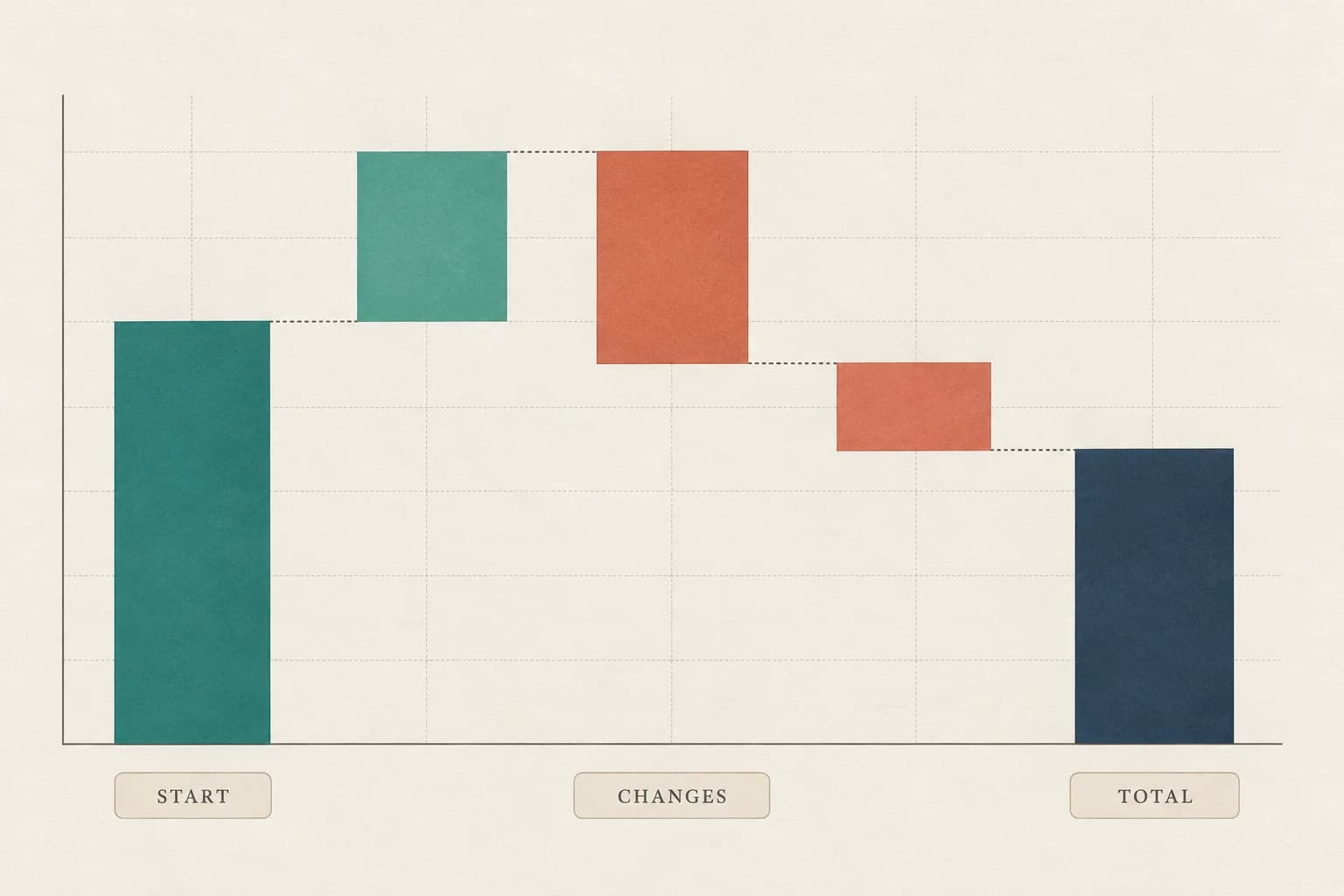
Waterfall chart showing a starting value, positive and negative changes, and a final total

Waterfall Chart Generator

Scientific image format conversion tool

Image Format Converter

Questions about scientific palettes

Questions about scientific figure color palettes

How do I choose color schemes for scientific figures?+

Use categorical colors for unordered groups, sequential colors for ordered measurements, and diverging colors around a meaningful reference. Okabe–Ito and Paul Tol bright identify treatments; Viridis and Plasma show low-to-high values. Red–blue and brown–green scales distinguish changes on either side of a center.

How many colors can I choose in a scientific color palette generator?+

Choose 2–8 colors with Okabe–Ito, 2–7 with Paul Tol bright, or 3–12 sampled Viridis or Plasma colors. Diverging palettes support 3, 5, 7, 9 or 11 colors to preserve a neutral center. Match categorical colors to group count, and add labels or markers when groups are difficult to distinguish.

How do I use the scientific color picker to lock experiment colors?+

Enter a six-digit HEX value or use the color picker in Categories mode to lock that group automatically. Locked colors stay fixed when switching categorical presets or reversing the palette. Uncheck Lock to let the next preset change replace a color. Export the named mapping for consistent manuscript panels.

How does the generator flag similar group colors?+

The review compares every pair of category colors in original, protanopia, deuteranopia, tritanopia and grayscale views. It names the closest pair and shows simulated swatches with Euclidean Oklab distance multiplied by 100. Lower values mean closer colors in this model; the number is not a universal visibility threshold or accessibility certification.

How can I use a color palette generator with examples to check my chart?+

Load a chart example to apply its preset and inspect the exact colors in the live preview. Switch between original, simulated color vision and grayscale views, then check the closest named pairs. Add markers or line styles where needed. Simulations do not certify accessibility; exports retain your original palette colors.

How do I use color palette generator code in Python, R or Excel?+

Select Python for a Matplotlib example or R for base R code, then replace the illustrative data with your measurements. Categorical exports include named color mappings. For Excel or PowerPoint, copy each swatch’s HEX code or RGB values into the application’s color controls manually; the generator does not export workbook or presentation files.

How do I save and restore a named scientific color palette?+

Download or copy the JSON export. In another session, paste it into Restore a saved palette and select Restore palette. Valid group names, custom colors, locks, chart type, count and background return together. Invalid JSON leaves your current palette unchanged. Keep the exported file because changes are not automatically saved across refreshes.

How do I make a color palette online without signing up?+

Choose a data type, select a preset and set the color count in this online generator. Name your groups, customize colors, preview the chart and export the palette. Editing runs in your browser without an account or research data upload. Save the JSON export to restore your settings later.

Give your data a clear visual language

Create an academic poster color palette

Carry the same treatment colors from your paper into poster figures and legends. Review them against your chosen background, then export HEX values or a named mapping to apply in your poster editor.

Create Poster Colors in Scientific Color Palette Generator