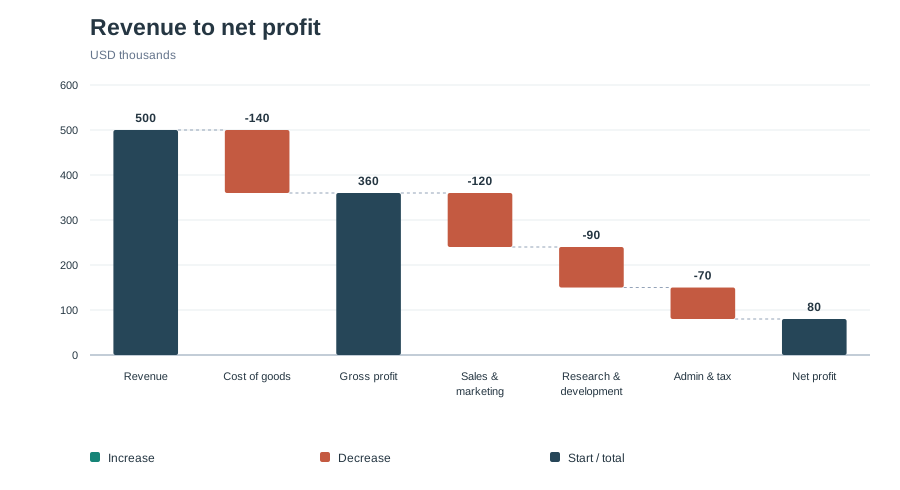
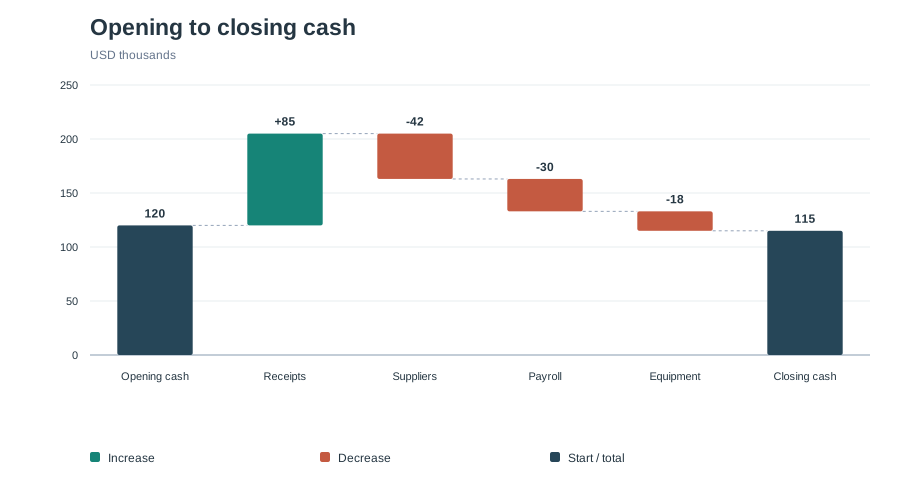
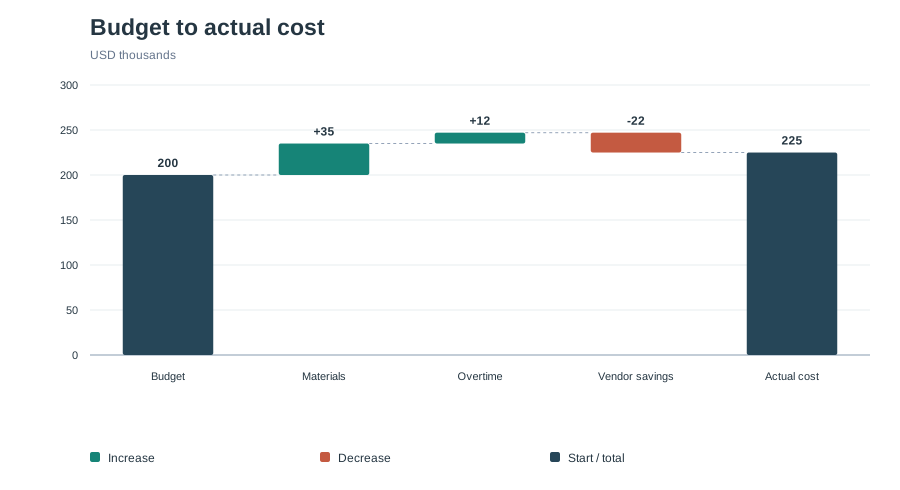
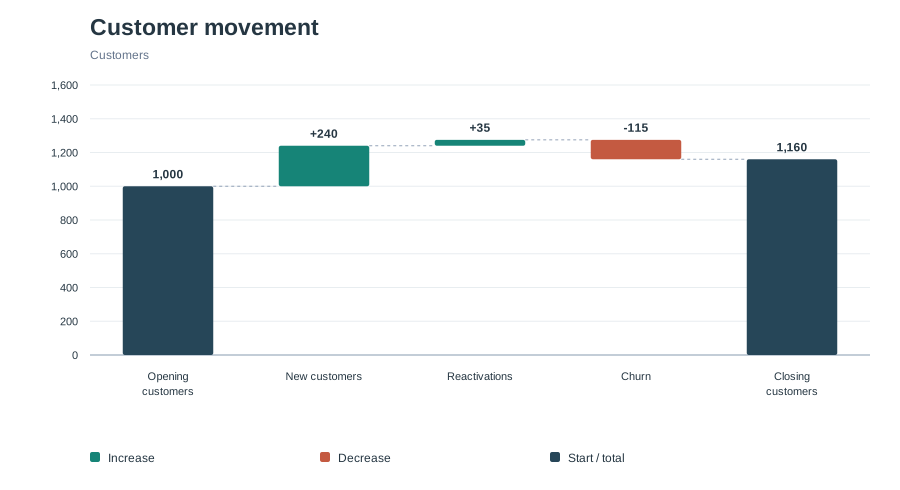
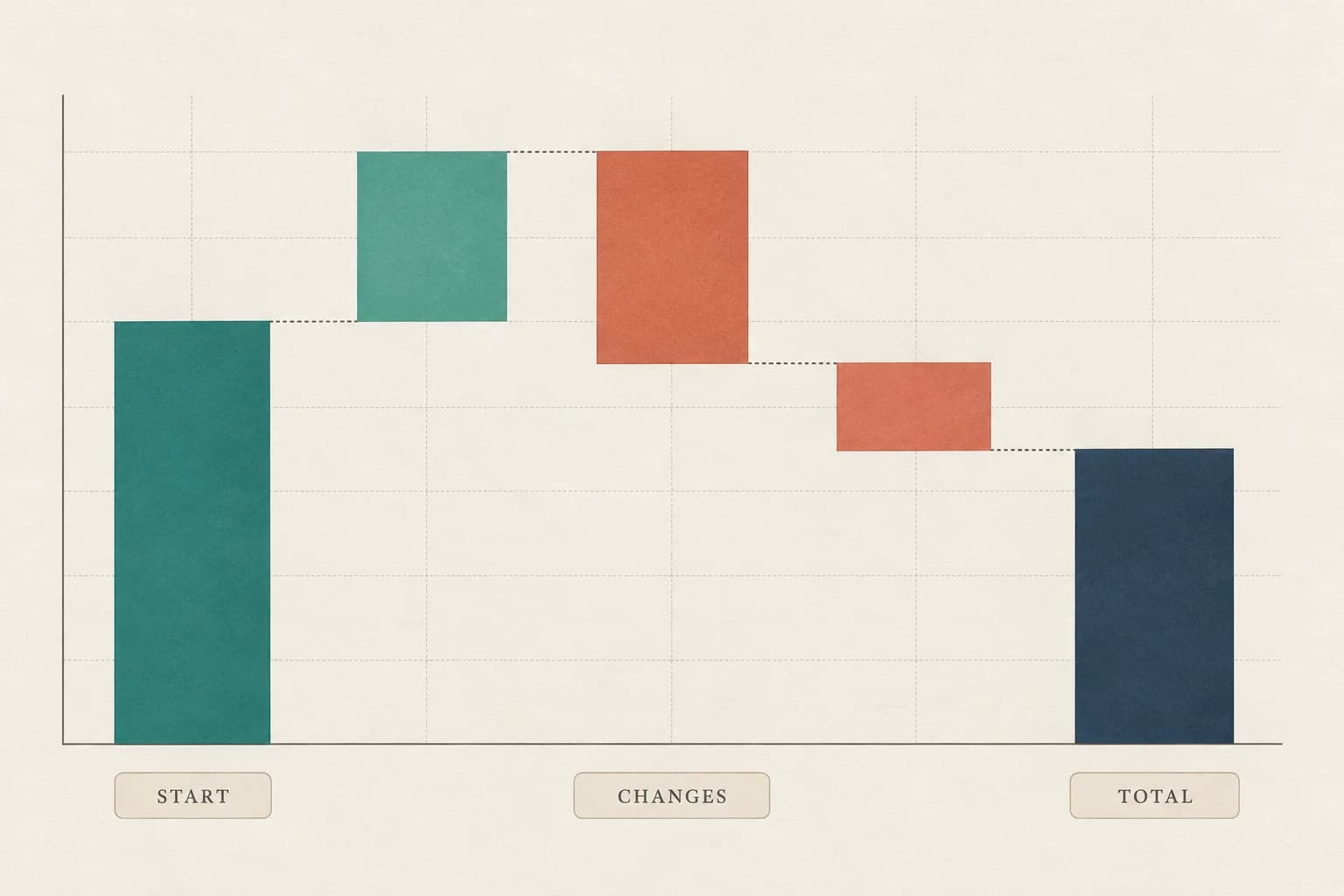
A waterfall chart shows how a starting value changes through a series of additions and deductions. Each change floats from the previous running total. Start, subtotal, and total bars sit on the zero baseline, so the path from an opening balance to a closing balance is easy to follow.
Also called a bridge chart or cascade chart, it suits profit-and-loss statements, budget variance, cash flow, and customer movement. Use a regular bar chart to compare independent categories.
This Waterfall Chart Generator calculates the bridge from your values. A subtotal shows the running balance without adding it again. Optional closing-value checks flag a mismatch before you export.
Start
The opening amount, including a negative opening balance.
Change
A positive addition or a negative deduction, in the order you provide.
Subtotal
An intermediate running total that does not change the balance.
Total
The final calculated balance, shown from the zero baseline.