Upload a PDF paper. Our AI scientific poster maker structures the IMRaD story, adds research visuals, and helps you ship a conference-ready research poster without wrestling with PowerPoint.
Drop a PDF paper. We extract the IMRaD structure, pick the figures that matter, and lay them out on a print-ready poster.
Latest balanced model for speed and detail · supports 1K–4K
Balanced text & figures · best for most conferences
Default portrait poster size for conference boards
Image resolution
Fastest output · good for quick review and drafts
Poster Maker currently accepts PDF papers. Poster generation runs in the background and may take several minutes.
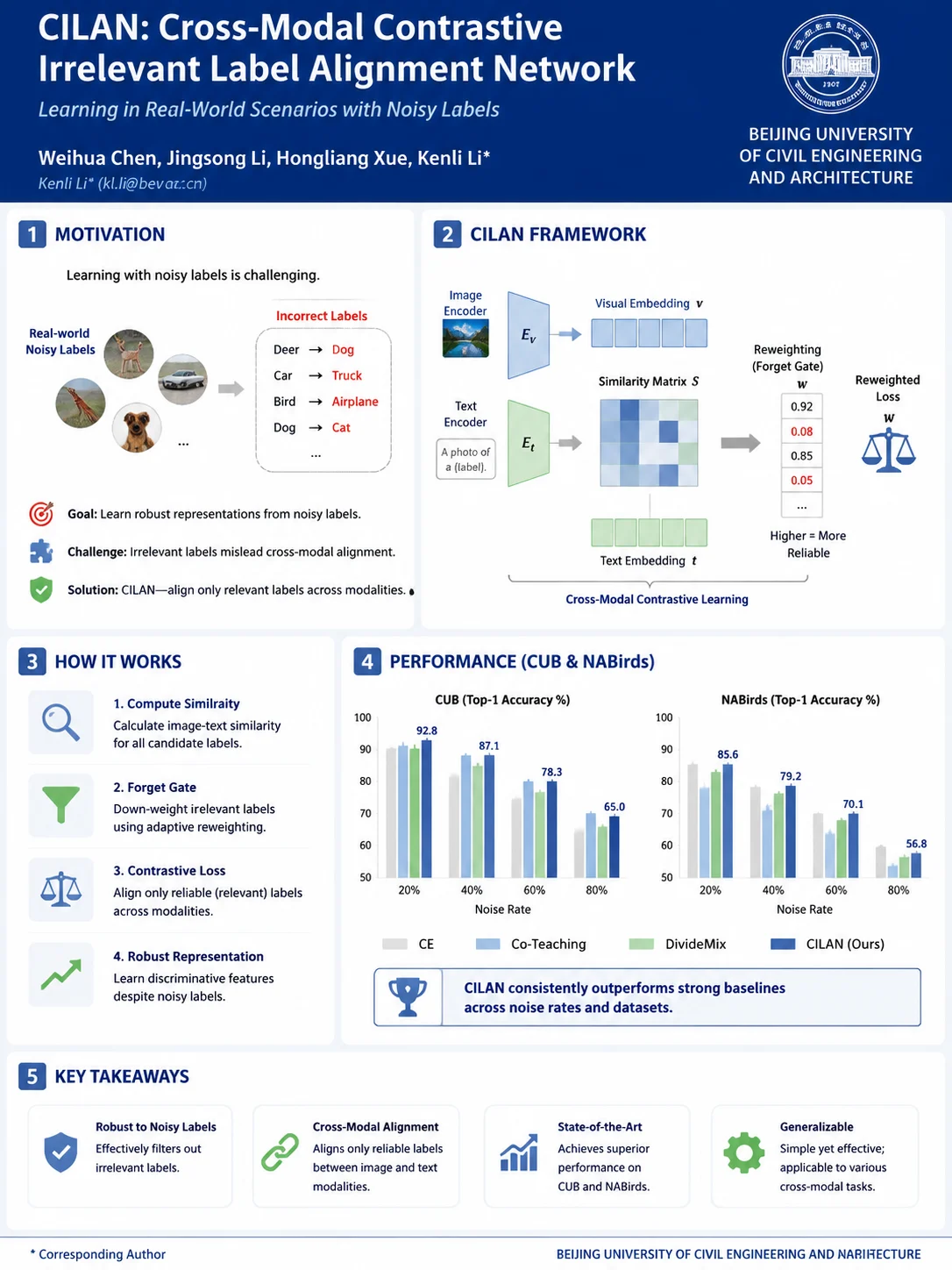
This is a real Poster Maker sample. Sign in and upload your own PDF to generate a poster.
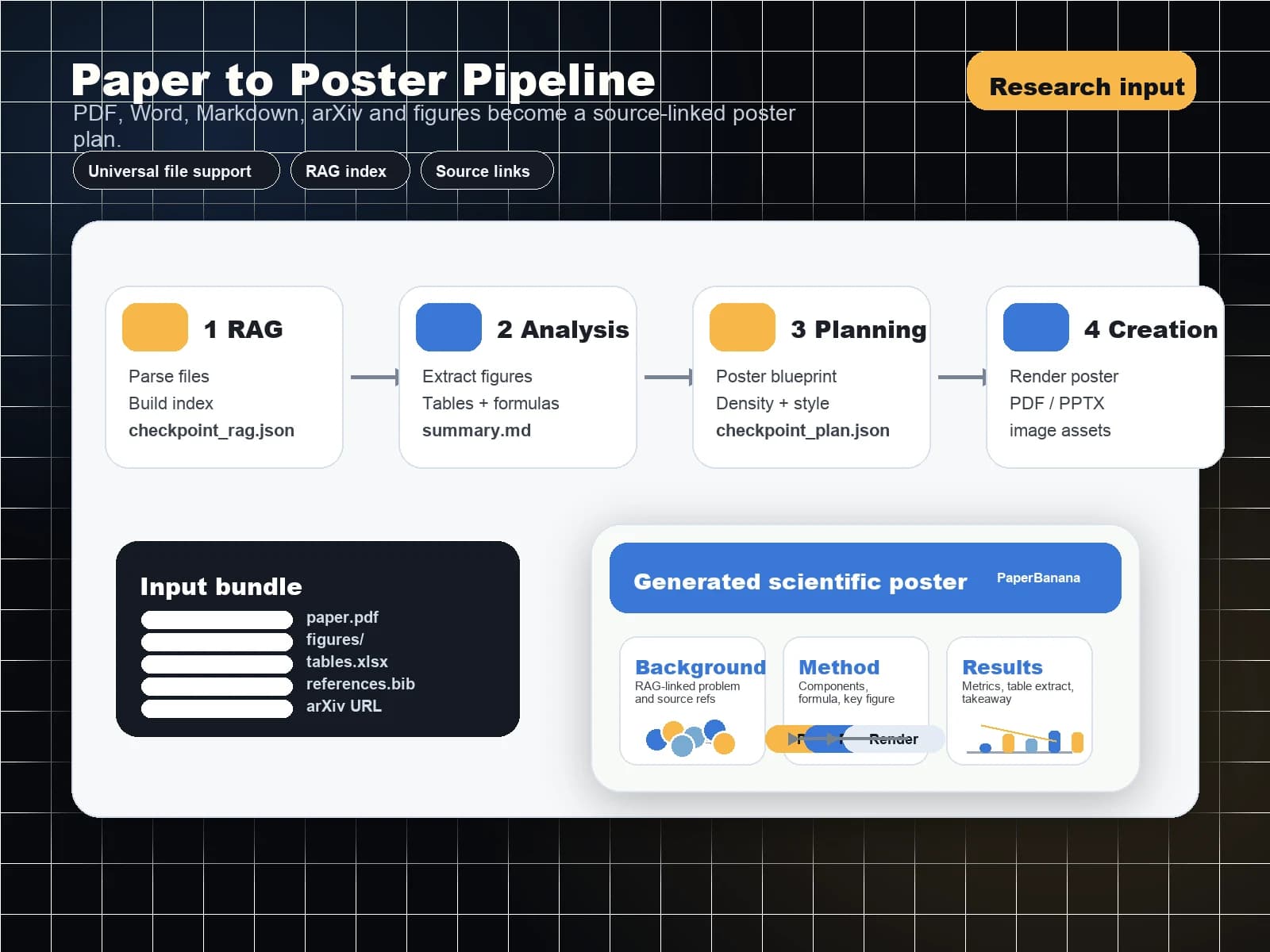
Start from the material the generator supports today: a PDF research paper with figures, captions, and key findings included.
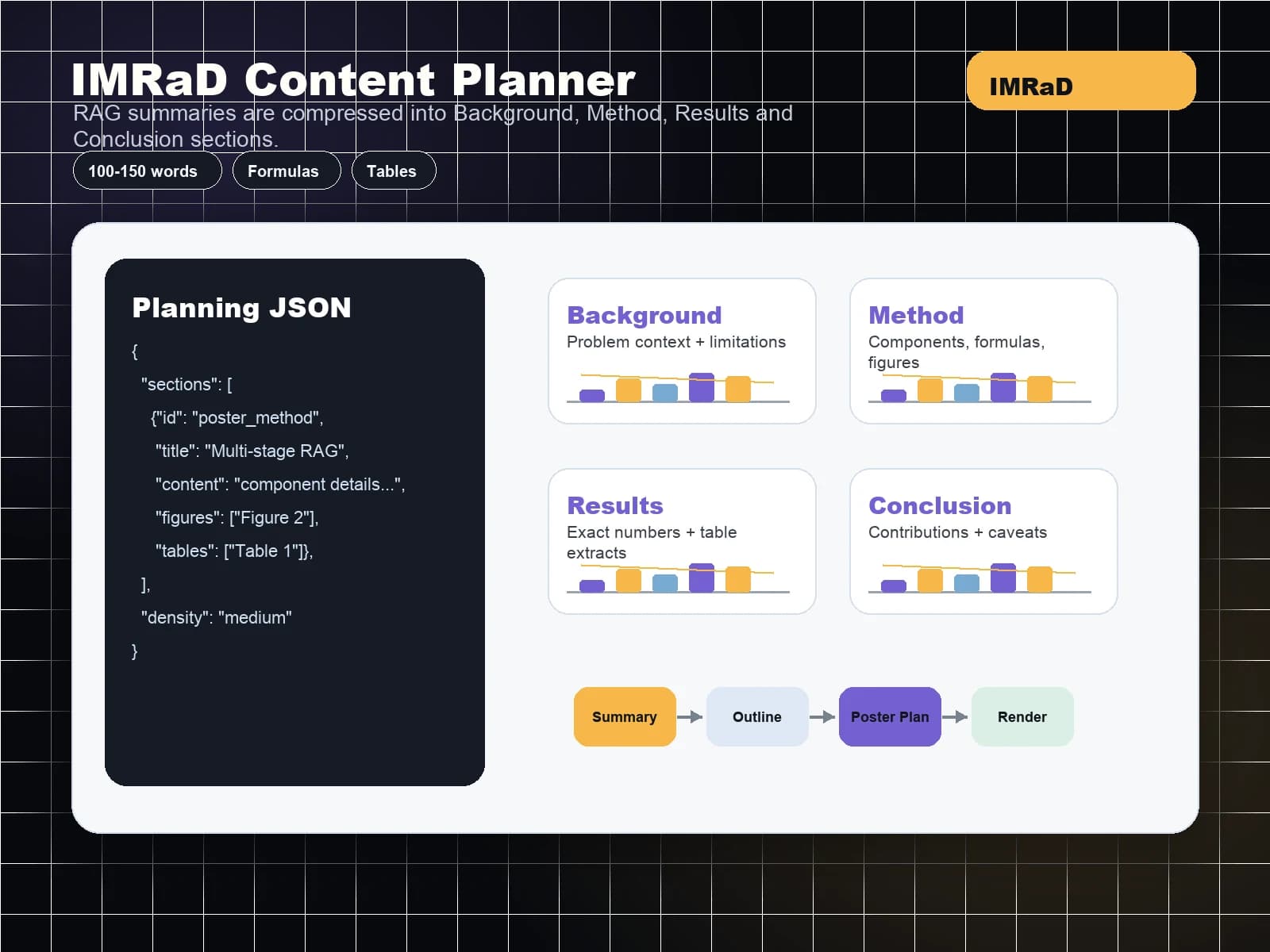
Our AI condenses long sections into poster-ready bullets while keeping the researcher in control of claims, numbers, and citations.
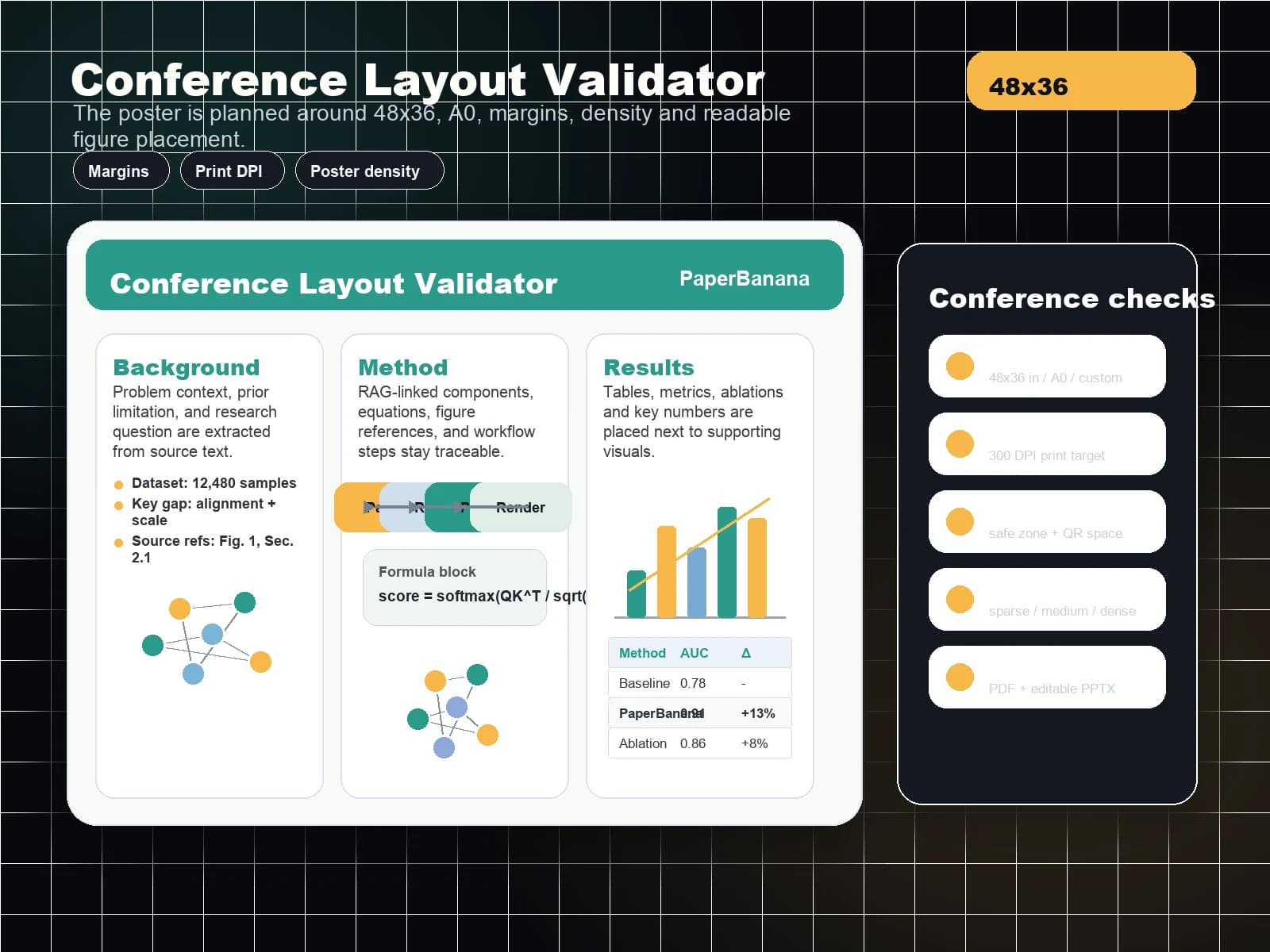
Draft horizontal, vertical, and field-specific layouts for common poster formats such as 48x36 inches, 36x48 inches, A0, and A1.
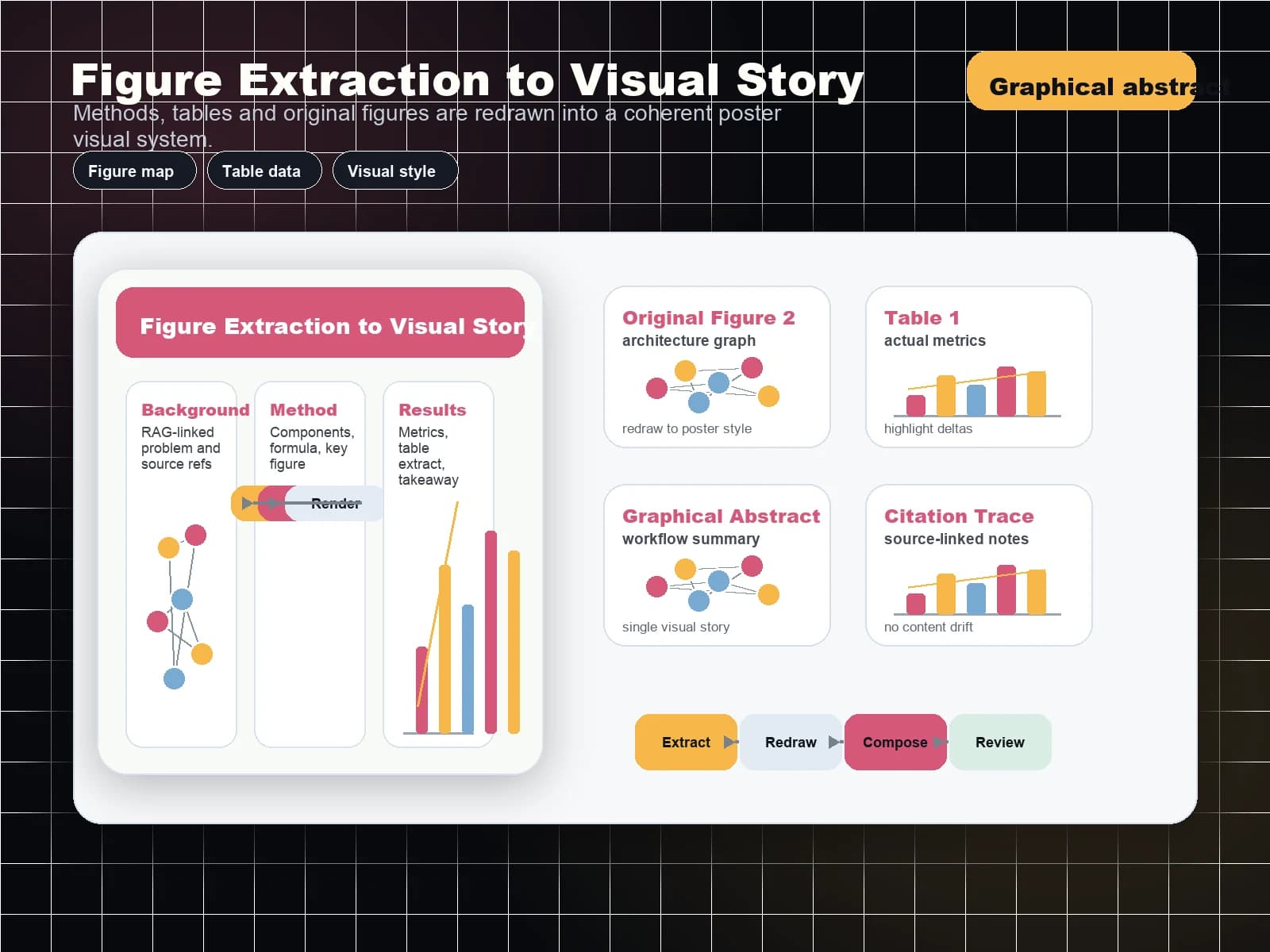
Create graphical abstracts, pathway diagrams, architecture figures, method workflows, and mechanism visuals without leaving the poster workflow.
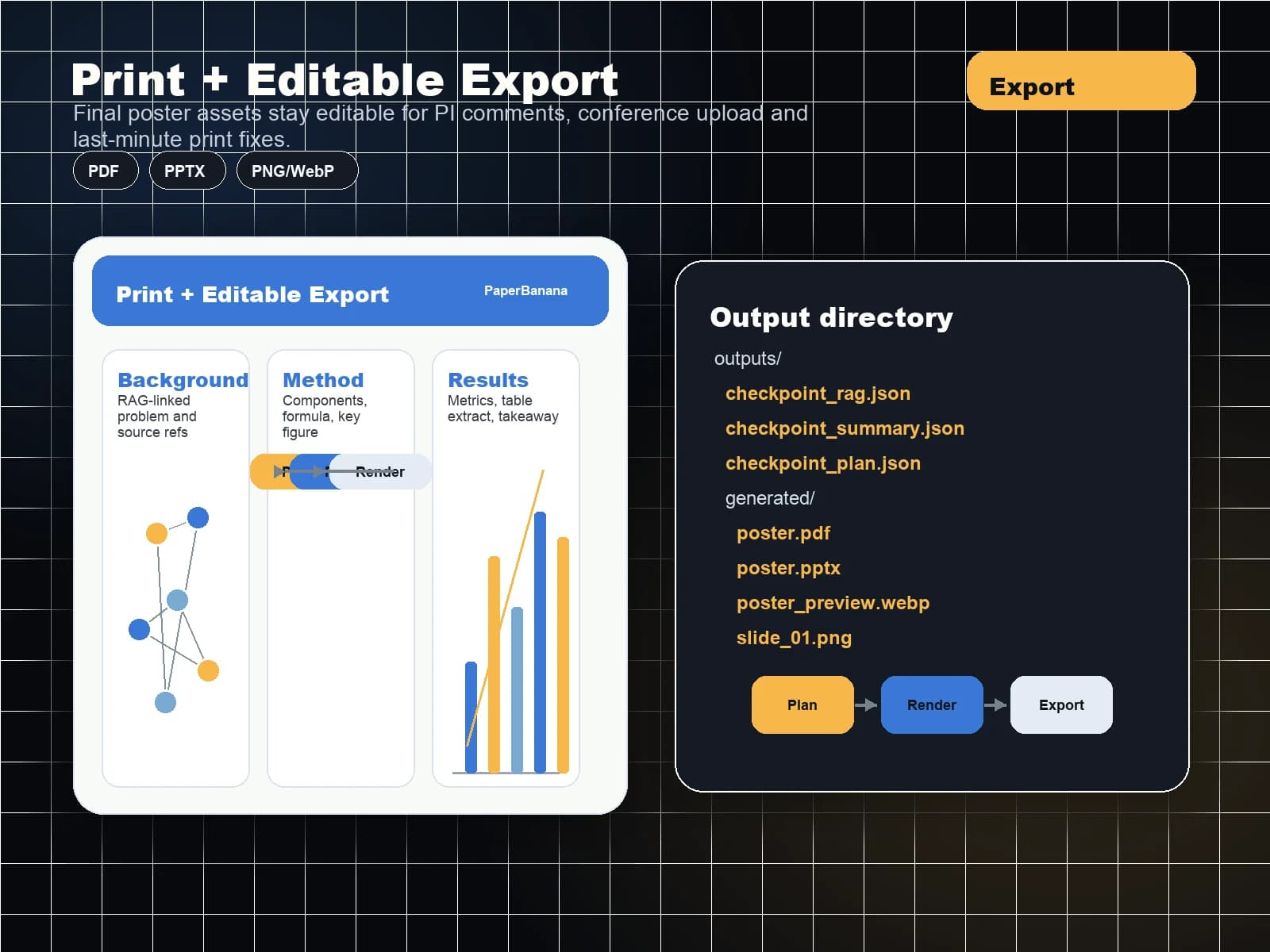
Prepare a print-ready PDF and keep an editable version for the inevitable PI comments before the upload deadline.
Turn an accepted PDF paper into a conference poster with title, authors, methods, results, visuals, conclusions, and references arranged for quick scanning.
AI conference poster maker
Turn an accepted PDF paper into a conference poster with title, authors, methods, results, visuals, conclusions, and references arranged for quick scanning.
Structure case report posters around history, imaging, intervention, outcome, and discussion so busy clinical teams can prepare a credible poster faster.
Condense thesis work, REU projects, lab rotations, and job talk posters into a polished academic presentation with figures that carry the story.
Help PIs and lab managers keep student posters visually consistent while each researcher still controls their own content and figures.
The workflow is designed for deadline-driven researchers who need a professional poster without learning Illustrator or rebuilding templates from zero.
Poster making is usually low-frequency but high-pressure. The workflow reduces the repetitive layout work while keeping the researcher in control of the final science.
Avoid spending the final week resizing boxes, aligning figures, and rebuilding a layout from scratch.
Start from research poster sections and common conference sizes instead of generic marketing templates.
Keep every block editable so you can check claims, citations, figure captions, and numbers before exporting.
Prepare print-ready output while preserving a version that can still be adjusted after PI or coauthor feedback.
Generate scientific diagrams and poster graphics in the same product instead of stitching together multiple tools.
Upload a PDF paper instead of starting from a blank PowerPoint slide.
Turn introduction, methods, results, and discussion into poster-sized sections that are easier to scan.
Build layouts for PhD posters, medical case reports, lab symposiums, and research conferences.
| Poster Need | the scientific poster maker | Manual Workflow | Result |
|---|---|---|---|
| Paper condensation | AI-assisted IMRaD outline | Copy and trim by hand | Faster first draft |
| Scientific visuals | Built-in illustration generator | Separate BioRender or PPT work | One workflow |
| Conference format | Poster size aware layout | Manual slide setup | Fewer resize fixes |
| PI review | Editable blocks and export path | PDF email loops | Cleaner revision flow |
Compare PaperBanana plans for AI scientific illustrations, image editing, SVG figure workspaces, poster maker, watermark-free exports, and advanced models.
Cancel anytime · Subscription credits are valid for 30 days


Answers for researchers comparing AI poster tools, PowerPoint, Canva, BioRender, and conference templates
Move from AI figure generation to editable diagrams and conference posters with crawlable links between every core PaperBanana tool.
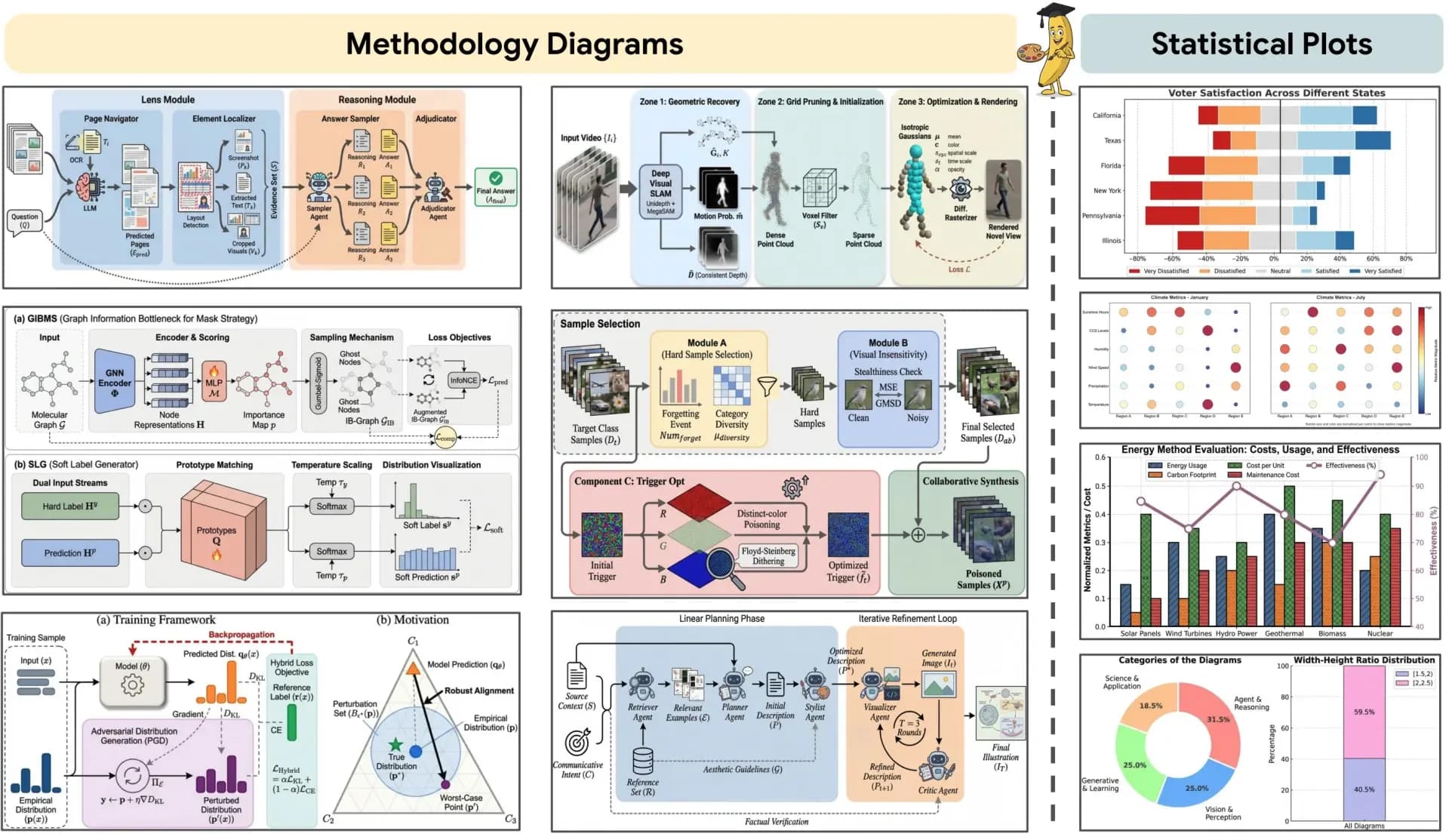
Start from the main AI figure workspace for prompts, image edits, and research visual generation.
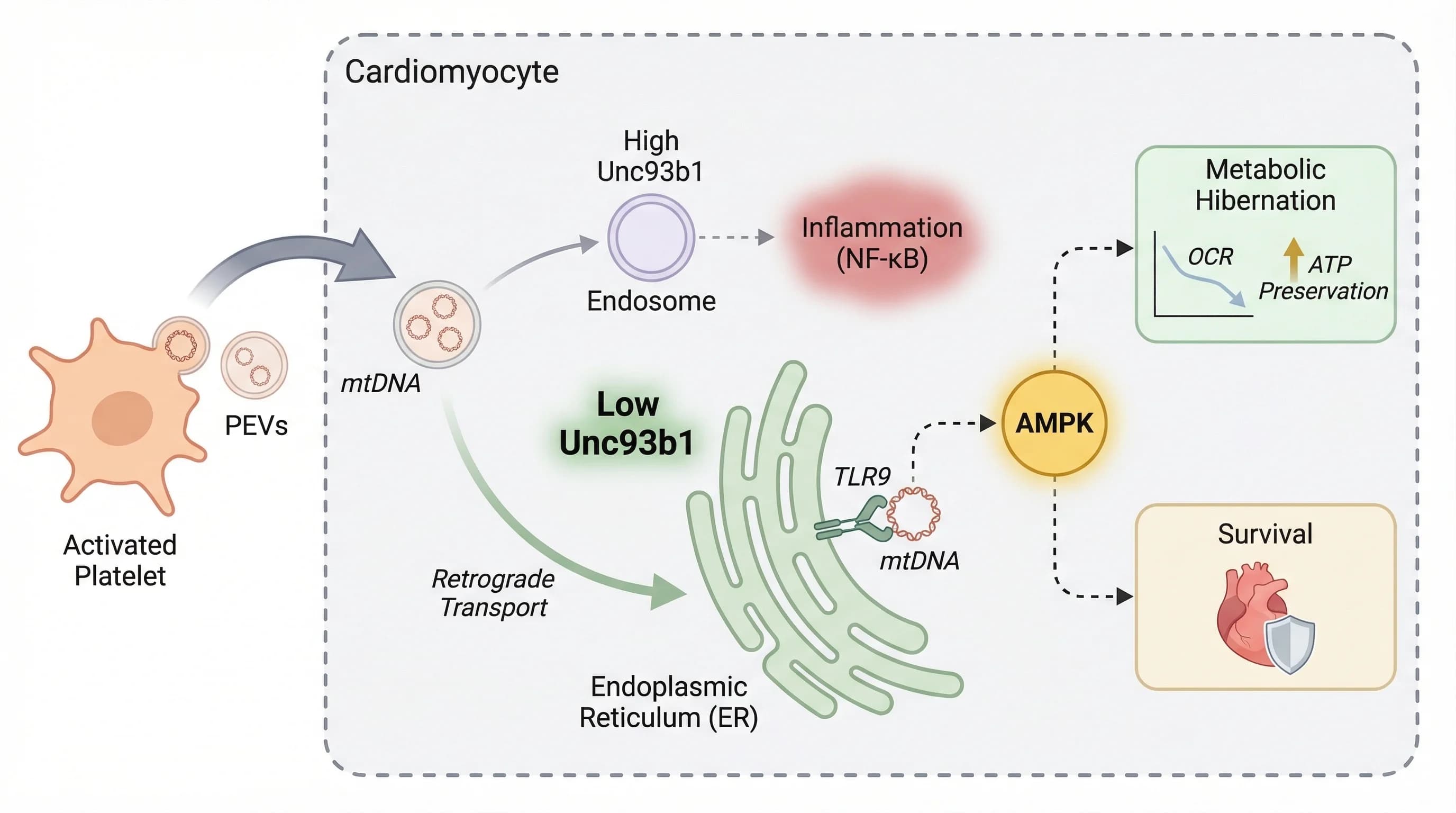
Generate publication-ready research figures from prompts, methods, and reference images.
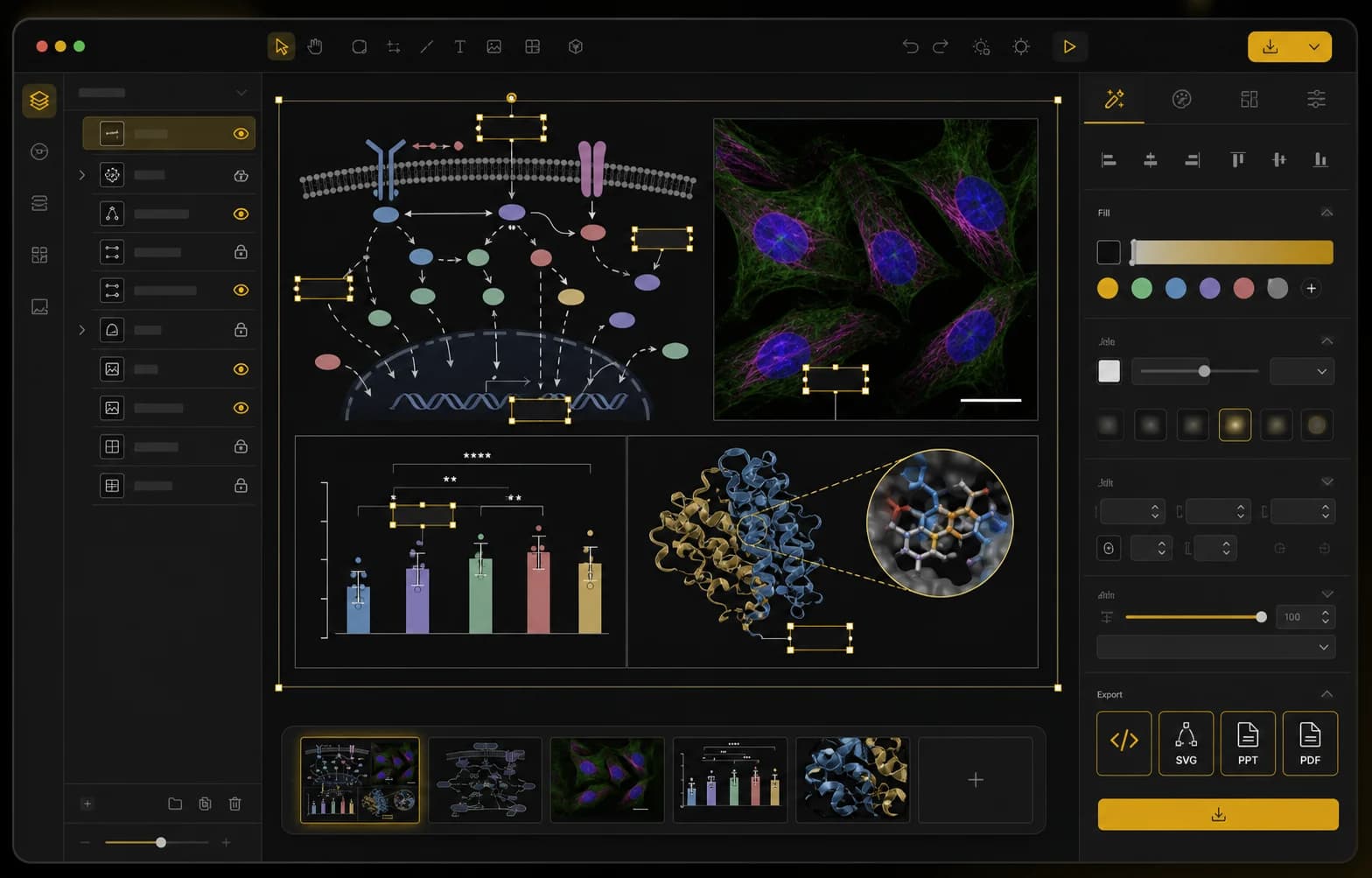
Edit labels, layers, panels, microscopy annotations, and export-ready research figure layouts.
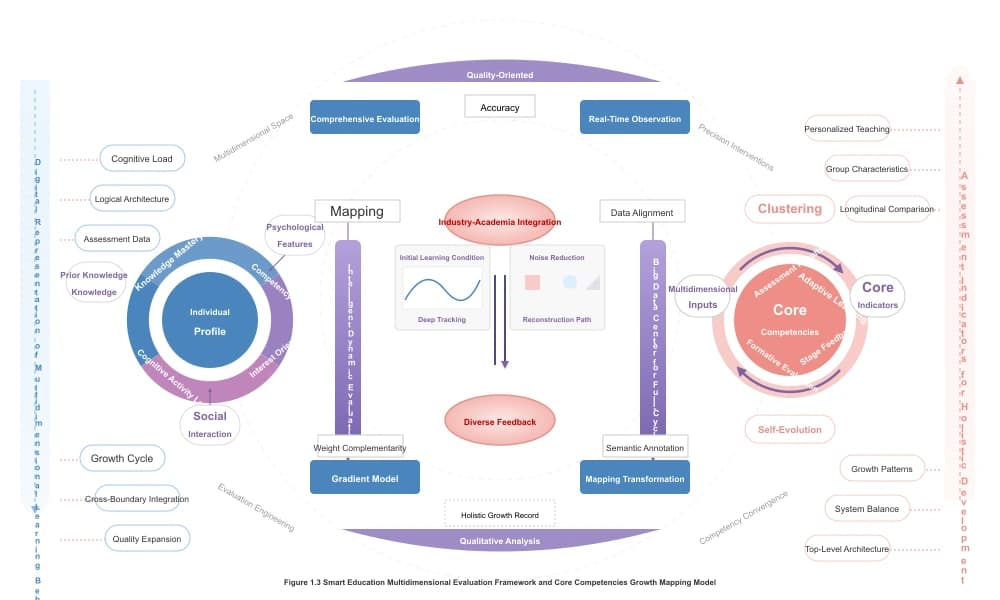
Create template-based SVG diagrams with editable labels, layers, colors, and layouts.


